Service and cleaning
83 / 127
Service menu
8.5 Service menu
8.5.1 Call up/exit service menu
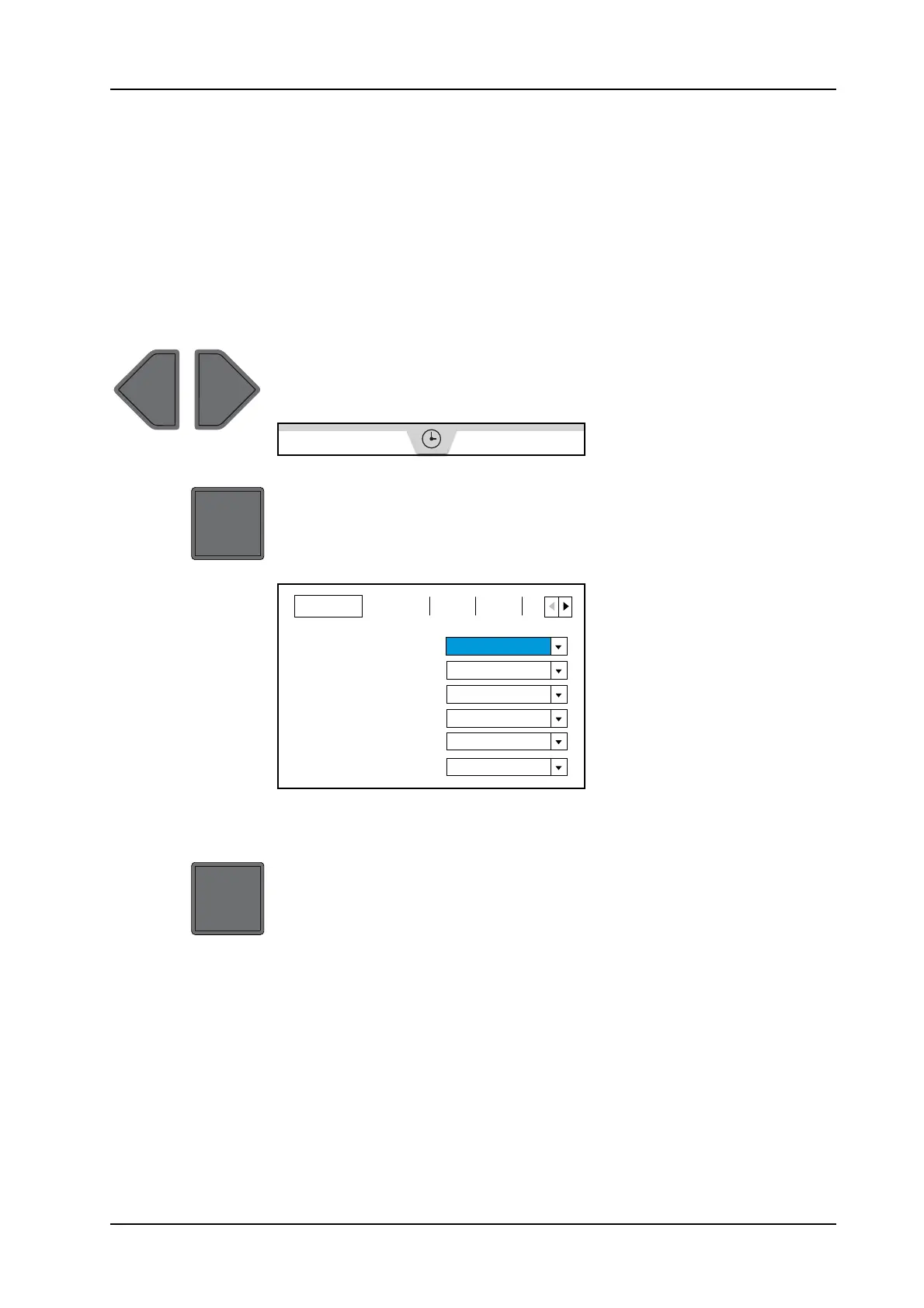
The service menu can be called up via the Operating hours screen
page.
The language of the service menu is set to English and cannot be ad-
justed.
Call up service menu
►Actuate Scroll back screen page or Scroll forward screen pagefunction
switch to display the operating hours screen page.
Operating hours screen page appears on the display.
Operating hours screen page
► Actuate the Confirm message function switch for approx. 20 seconds.
The service menu appears in the screen.
The General service submenu is automatically selected when
calling up the service menu.
Service menu - General service submenu
Exit service menu
► Actuate the Confirm message function switch for approx. 20 seconds.
The service menu is exited.
Changed settings are not automatically saved.
8.5.2 Set display language
Pre-programmed display languages can be set in the service menu.
Furthermore, the option No text (xx) can also be set.
► Call up service menu.
Refer to chapter "Call up/exit service menu".
► Select the General service submenu.
The General service submenu is automatically selected when
calling up the service menu.
General Servcie Log Stat L
Language
de
Pressure Unit
Speed Unit
Temperature Unit
Fuel Unit
SAVE DATA CFG
bar
1/min
°C
%
No


 To Next Page