42 • Using Categories Ultritouch+Ultrix User Guide (v1.0)
Using Category/Index Mode
The categories and indexes must be defined in the Ultrix router database before Ultritouch can control the router
using Category/Index mode.
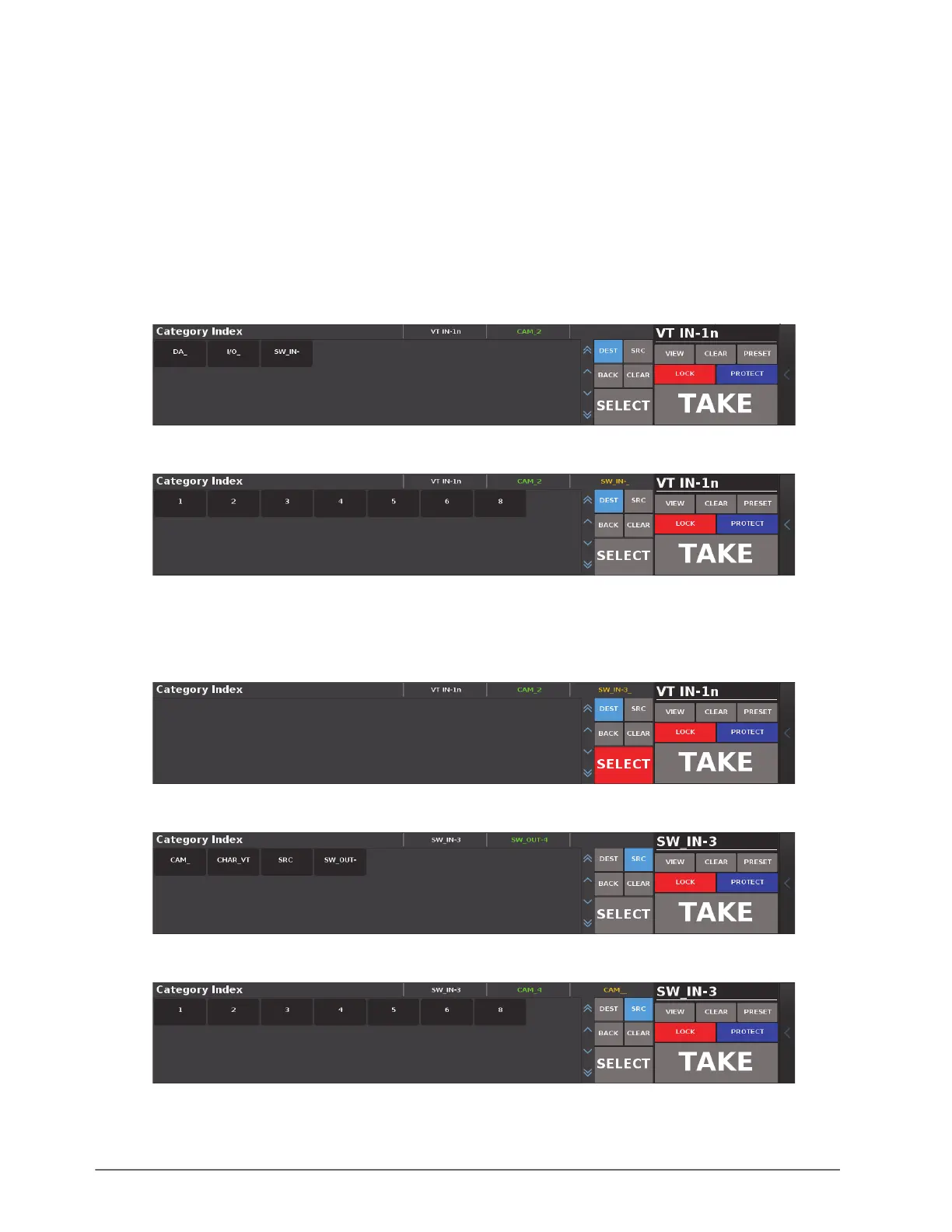
To make a crosspoint change
1. Load a soft panel, configured for Category/Index mode, to the Ultritouch as outlined in the procedure “To load
a soft panel on Ultritouch” on page 34.
2. To select a destination:
a. Tap
DEST.
b. Tap a Destination category.
3. Tap a Destination Index.
4. Tap
SELECT to confirm your destination choice.
The SELECT button is only enabled when the selections made in steps b and 3 are valid.
The panel enters Source Selection mode.
5. Select the Source Category.
6. Select the Source Index.



 To Next Page