R5 SOLID AIS System
OPERATION
7000 118-200, C2 Page 41
4.6 Status Bar
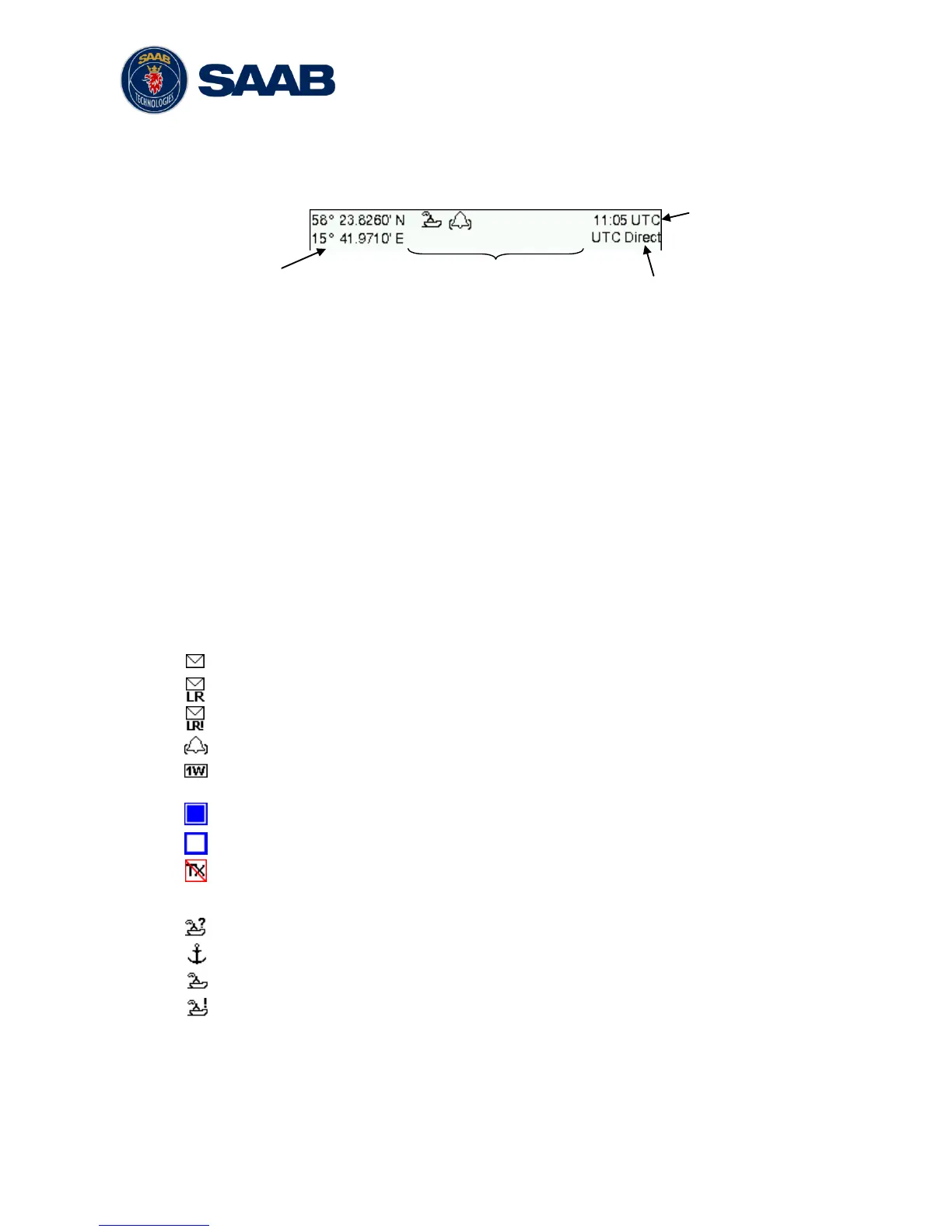
The top of the screen of the R5 SOLID always displays a summary of the system’s status.
See illustration below.
If a valid navigation position is available, it is displayed to the left. The status icons are
displayed in the middle and the current time is shown to the right. Time is either UTC or
local (LOC). Beneath the current time there is also information about the transponder’s
synchronization state. The synchronization state can be:
UTC Direct – This is the normal state where the R5 SOLID gets the UTC time
from its own internal GPS receiver.
Indirect Synchronization – The R5 SOLID is synchronizing based on receipt of
data from other AIS transmitters.
NOTE: It is possible to be in Indirect Synchronization but still have a valid position
in the upper left corner of the status bar. The position information may be from an
external GPS sensor, but UTC Direct synchronization can only be taken from the
internal GPS receiver.
4.7 Status Icons
The status icons that can be displayed are:
Unread message (safety related message, text message or RTA)
Unread Long Range message (automatic reply)
Unread Long Range message (manual reply)
Active alarms
1W mode (Indicates 1 Watt TX mode for Tankers is enabled.) See NOTE below
for details.
Blue Sign On (only available when System Mode is “Inland”)
Blue Sign Off (only available when System Mode is “Inland”)
Silent Mode activated, either with Tx Mode parameter or silent switch.
Navigational status, being one of:
Navigational status is undefined
At anchor or moored
Under way using engine
Navigational status is one of: Not under command, Restricted manoeuvrability,
Constrained by her draught, Aground, Engaged in fishing, Under way sailing, Reserved
for future use.
NOTE: The transponder will automatically engage 1W mode when the following
conditions are met: Ship type = Tanker, Nav Status = Moored and SOG <= 3



 To Next Page