R5 SOLID AIS System
OPERATION
7000 118-200, C2 Page 51
4.24 VHF Status
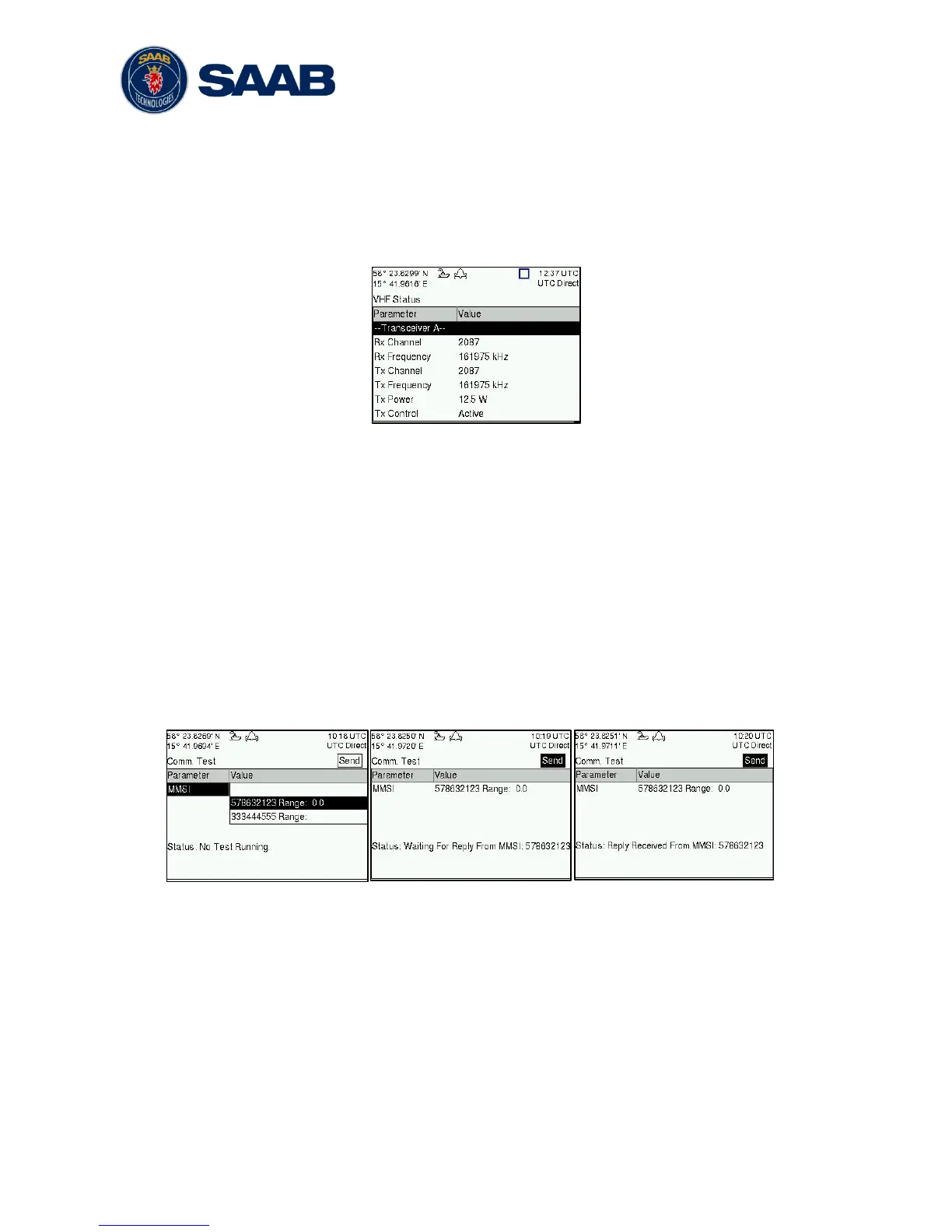
The VHF Status view shows the currently used settings. Channel number, frequency,
power and operation mode are displayed for each VHF transceiver in the R5 SOLID. This
information is useful when troubleshooting to make sure that the R5 SOLID transponder
uses the expected VHF radio settings. If e.g. a regional area is set and in use, this will
affect the parameters in the VHF Status view.
Figure 32 - VHF Status
4.25 Communication Test
When installing the R5 SOLID, or when performing annual testing, a communication test
shall be done to ensure that other transponder system can receive the R5 SOLID
transmissions. This can be done from the Communication Test view accessed from Main
Menu
Maintenance
Comm. Test.
When entering the Communication Test view a suggested target with a suitable range
(between 15 NM and 25 NM) will be selected in the MMSI parameter field if such a target
has been received by the R5 SOLID. It is however possible to select a different target for
the communication test. To start the test, use the ARROW KEYPAD button ∧ to select the
“Send” button and press ENTER. The status of the test will be shown beneath the
parameter list. If no response is received within 15 seconds from the selected target a fail
message will be shown.
Figure 33 - Communication Test
4.26 Update Software
The software in the R5 SOLID is easy upgradable via the USB Host interface located
behind the front hatch. To perform a software update, follow the instructions in the Update
Software view which can be accessed from Main Menu
Maintenance
Update Software.
For more information about the upgrade procedure, refer to chapter 5 “Software Upgrade”.



 To Next Page