R5 SOLID AIS System
OPERATION
7000 118-200, C2 Page 27
4 OPERATION
4.1 System Mode
The R5 SOLID can operate in two different system modes, Class A mode and Inland
mode. The Class A mode should be used for vessels falling under the carriage
requirements of Chapter V of the International Convention for the Safety of Life at Sea
(SOLAS).
The Inland mode should be used for vessels traveling on European inland waterways that
falls under the carriage requirements of European River Information Services (RIS). When
Inland mode is enabled, additional views for ETA/RTA messaging and convoy settings will
be enabled. The R5 SOLID will also output binary messages with Inland Static and
Voyage data.
As default, the R5 SOLID will operate in Class A mode. It is possible to switch system
mode in the System Settings view, see section 4.4.16 for more information.
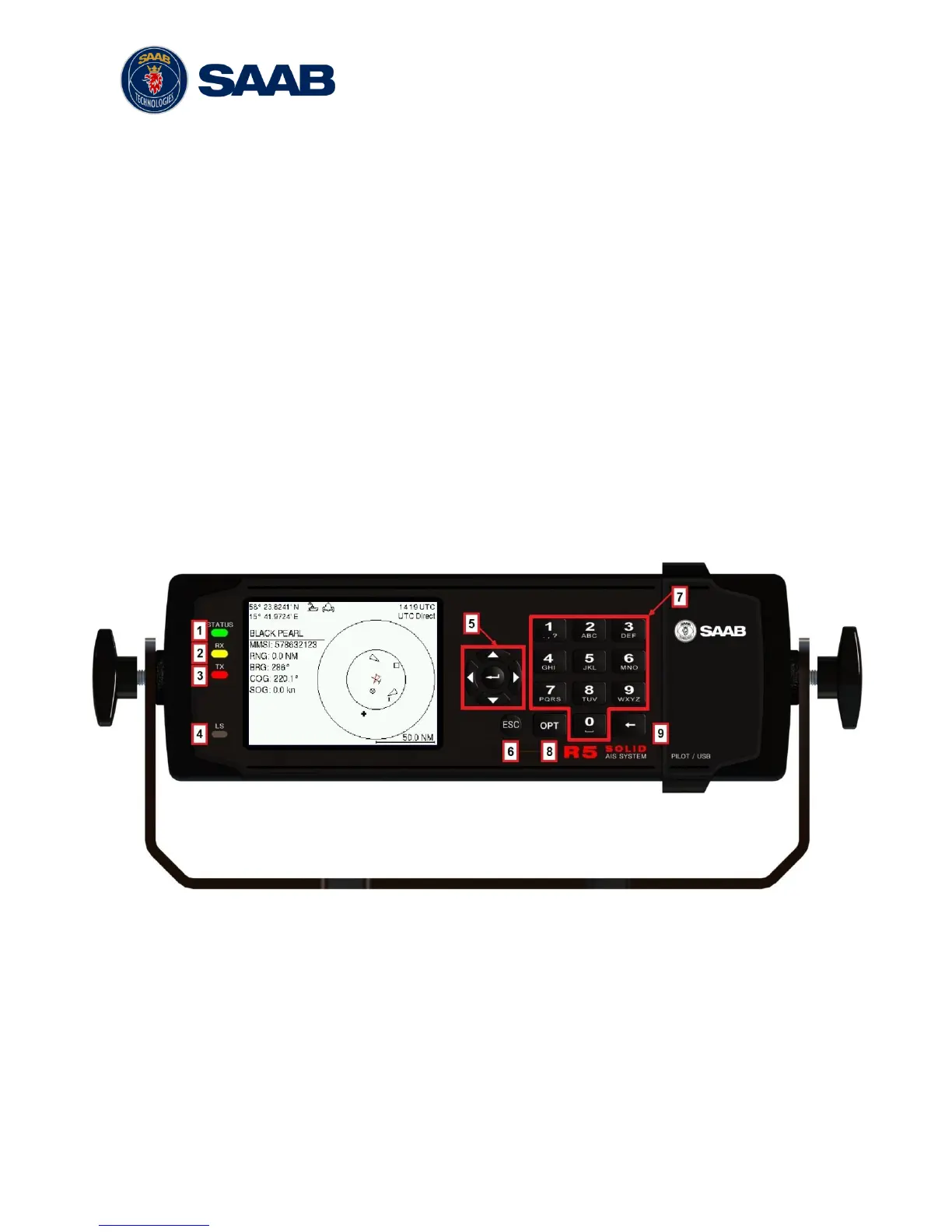
4.2 LED’s and Controls
This section describes the controls and status LED’s on the front panel of the R5 SOLID.
It is also possible to connect a USB keyboard via the USB Host interface that can be
found under the hatch of the front panel.
1 - STATUS LED (multi-colored)
This LED is constant green when the transponder is operating and no alarms are active.
The LED is constant red if there is an active alarm and it is flashing red if there is an
unacknowledged alarm.
2 - RX LED (yellow)
This LED is flashing yellow when the transponder is receiving a message on the VHF link.
3 - TX LED (red)
This LED is flashing red when the transponder is transmitting a message on the VHF link.
4 - LIGHT SENSOR



 To Next Page