R5 SOLID AIS System
OPERATION
7000 118-200, C2 Page 45
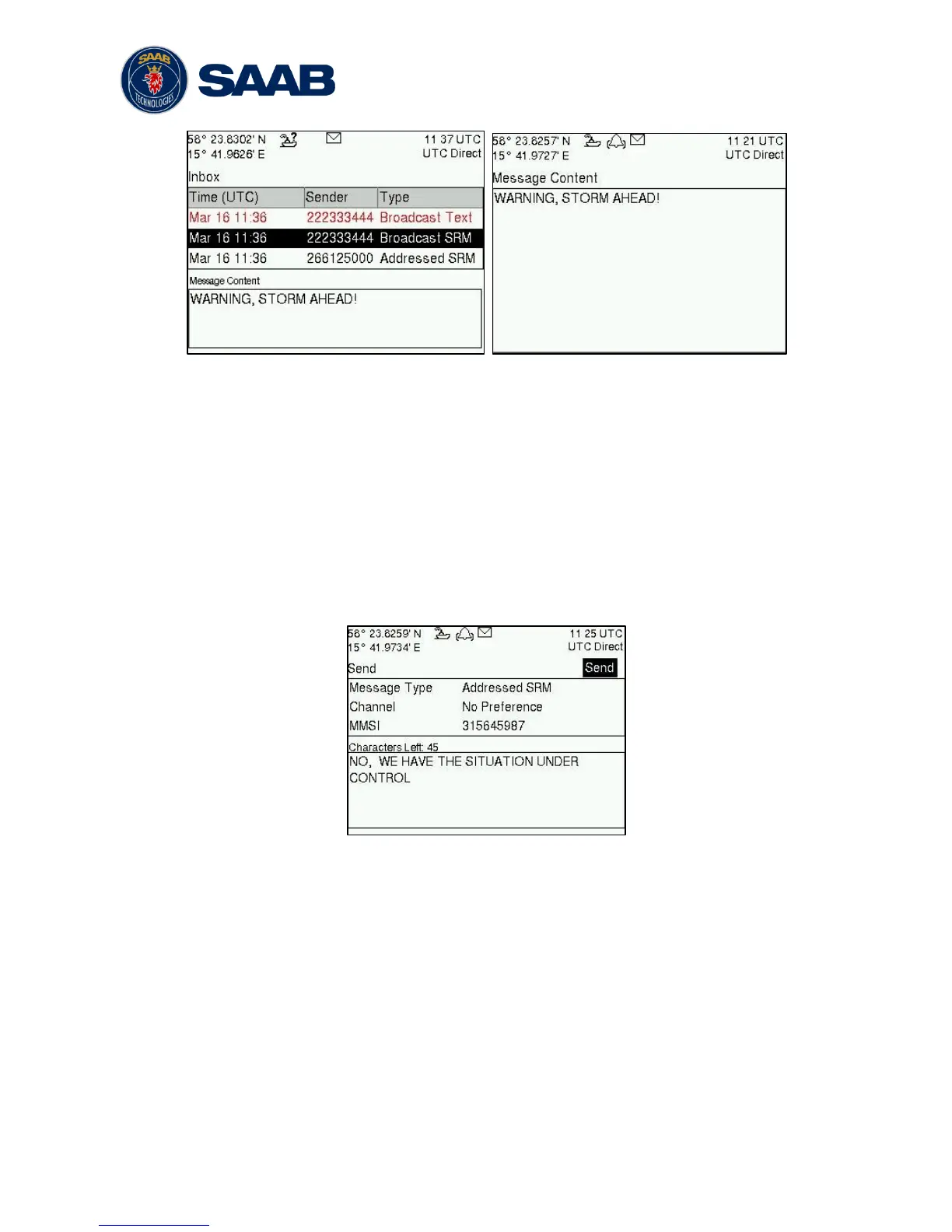
Figure 19 – AIS Message Inbox
Select a message with ARROW KEYPAD buttons ∧ ∨. A preview of the selected
message is shown at the bottom of the screen. To read the entire message and mark it
as being read, press ENTER. When the message is read, navigate back to the inbox
by pressing ESC.
It is possible to reply to, forward or delete the selected message by pressing the OPT
button.
4.12.2 Send SRMs and Text Messages
SRMs are composed and sent in the Send view accessed from Main
MenuMessagesAIS MessagesSend. Use the ARROW KEYPAD buttons ∧ ∨ to
navigate between the text input field, list of parameters and “Send” button.
Figure 20 – AIS Message Send view
Sent messages can be viewed in the Outbox view accessed from Main
Menu
Messages
AIS Messages
Outbox.



 To Next Page