EasyManua.ls Logo

Sam4s SPT-3000 - Page 47

Sam4s SPT-3000
91 pages
Print Icon
To Next Page IconTo Next Page
To Previous Page IconTo Previous Page
Loading...
4-20
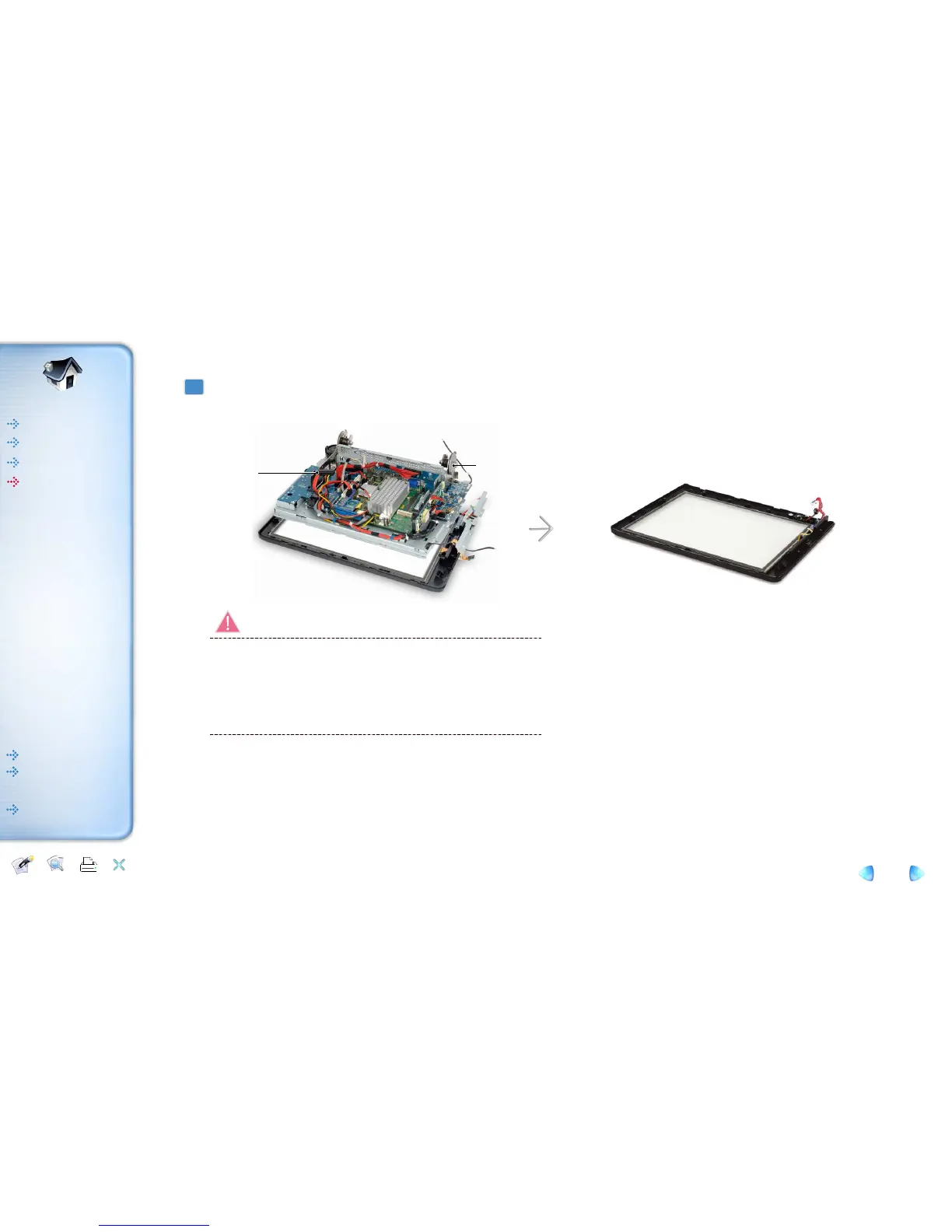
Remove touch panel while holding bracket and lift up the display assembly.
3
Be careful in case of any damage occurred to cables.
Touch panel may separate from LCD panel all of a sudden due to vacuum condition
in between touch panel and LCD.
Be careful in case of any breakage and injury.
Be careful in case of any dust being stuck into the surface of LCD or touch panel and
scratch to them.
Warning!
Help Printer
Exit
Content
Introductions
Inverter Module
LED Board
Magnetic Dallas (Option)
Getting Started
Using this system
BIOS Setup
How to use PDF
HOME
Introductions
System Disassemble
System Reassemble
Memory Module
Hard Disk Drive
Internal Speaker
SD Card & USB Board
Inverter Module
Touch & MSR Board
LED Board
Power Board
Main Board
Touch Panel and TFT-LCD
Magnetic Dallas (Option)
Getting Started
BIOS Setup
How to use PDF
HOME
Exploded View
and Replaceable
parts
Using this system
Removal and
Replacement
Magnetic Stripe Reader
(MSR)
e-manual
Hand
Hand

Table of Contents

Related product manuals