ENG-18
CONNECTIONS
1
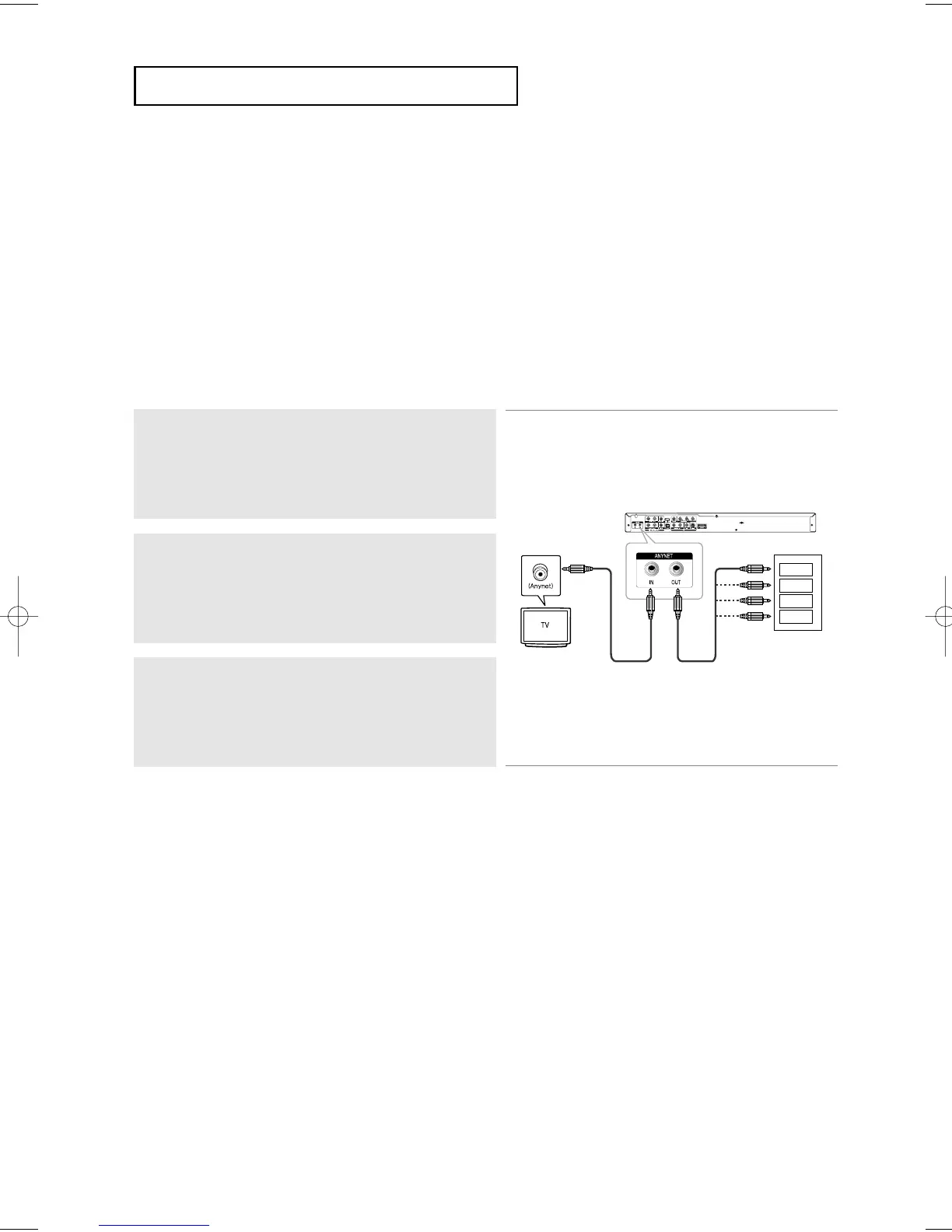
Using an Anynet cable, connect the Anynet Input (Green)
terminal on the rear side of the DVD player to Anynet Output
(Balck) terminal of the TV.
2
Using an Anynet cable, connect the Anynet Output (Black)
terminal to Anynet Input (Green) terminal of other AV device.
3
Setup the Anynet function on the TV supporting Anynet, and
enjoy the Anynet feature.
GREEN
BLACK
BLACK
GREEN
DVD Receiver
AV Receiver
Set-Top Box
Recorder
GREEN
GREEN
GREEN
Connection to a TV with Anynet Jack
What is Anynet?
- The function enables a user to control all AV devices through the menu display on the TV screen
just using one single TV remote control.
- This function works only for models supporting the Anynet.
- Using Anynet, you can easily control a DVD Player with your TV.
- For detailed operation steps and connections, refer to the user’s manual that supports Anynet.
- Please note that you need to set the Anynet on the TV to use the Anynet function.
Note
- Anynet operation is only available for TV sets that support Anynet.
- If Component (Progressive) or S-Video connection was used, some features of Anynet will not be available.
Use Video/Audio cable for the connection.
- Anynet function will not operate when Input and Output terminals are connected wrongly, because the TV
cannot communicate with external devices.
- Anynet terminals are consisted of Input (Green) and Output (Black) terminals.
- Match the color-coded cables to terminals when you connect the Anynet cable.













 To Next Page