EasyManua.ls Logo

Samsung DVD-HD950 - Setting Up Audio Options

Samsung DVD-HD950
162 pages
Print Icon
To Next Page IconTo Next Page
To Previous Page IconTo Previous Page
Loading...
ENG-61
Changing
Setup Menu
CHANGING
SETUP MENU
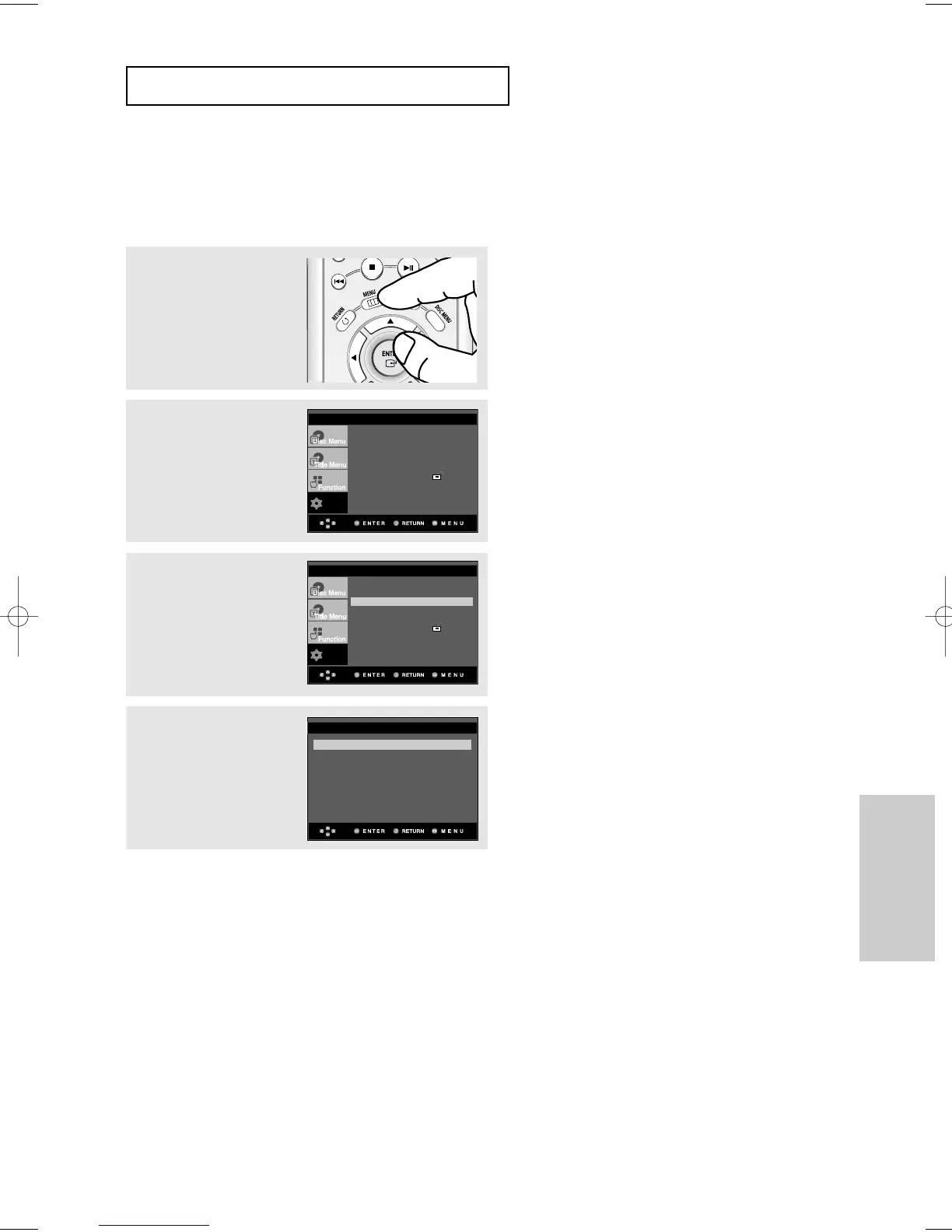
Setting Up the Audio Options
Audio Options allows you to setup the audio device and sound status settings
depending on the audio system in use.
3
Press the
$
/
buttons to
select Audio Setup, then
press the
or ENTER
button.
4
Press the
$
/
buttons to
select the desired item,
then press the
or
ENTER button.
1
With the unit in Stop
mode, press the MENU
button.
2
Press the
$
/
buttons to
select Setup, then press
the
or ENTER button.
To make the setup menu disappear, press the
MENU button.
Setup
Language Setup
Audio Setup
Display Setup
Parental Setup :
DivX(R) Registration
EZ Setup
Setup
Language Setup
Audio Setup
Display Setup
Parental Setup :
DivX(R) Registration
EZ Setup
Dolby/DTS Digital Out : PCM
MPEG-2 Digital Out : PCM
Dynamic Compression : On
PCM Down Sampling : On
Speaker Setup
AUDIO SETUP
00640D-HD950-XST-2 Eng 21/07/2005 11:17 Page 61

Table of Contents

Other manuals for Samsung DVD-HD950

Related product manuals