EasyManua.ls Logo

Samsung DVD-HD950 - Changing Setup Menu; Changing the Password

Samsung DVD-HD950
162 pages
Print Icon
To Next Page IconTo Next Page
To Previous Page IconTo Previous Page
Loading...
ENG-70
CHANGING
SETUP MENU
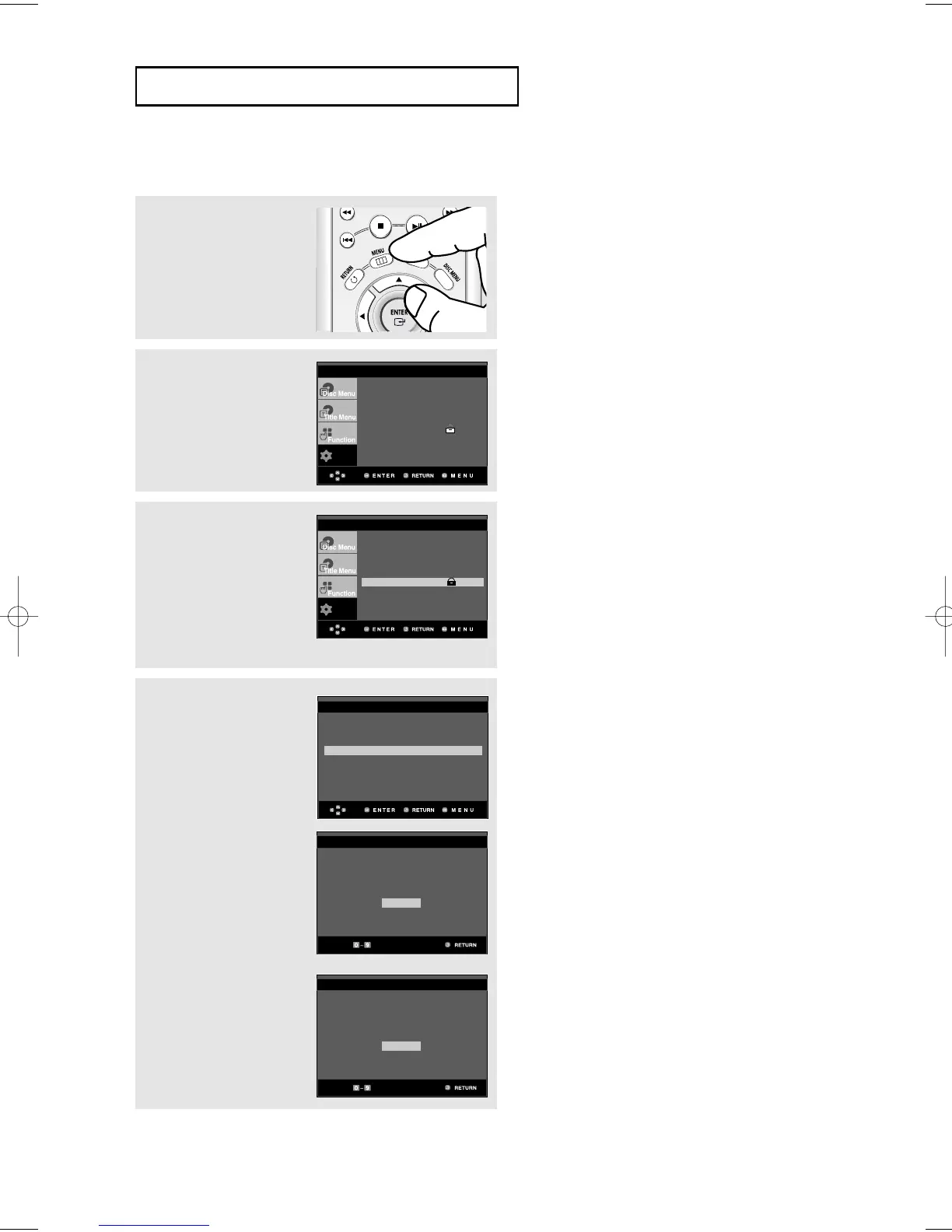
Changing the Password
3
Press the
$
/
buttons to
select Parental Setup,
then press the
or
ENTER button.
The Enter Password
screen appears.
Enter your password.
4
Press the
$
/
button to
select Change
Password, then press the
or ENTER button.
Enter your new password.
Re-enter the new
password again.
1
With the unit in Stop
mode, press the MENU
button.
2
Press the
$
/
buttons to
select Setup, then press
the
or ENTER button.
CHANGE PASSWORD
Enter New Password
- - - -
CHANGE PASSWORD
Re-enter Password
- - - -
Use Password : Yes
Rating Level : 8
Change Password
PARENTAL SETUP
Note
If you have forgotten your password, see
Forgot Password in the Troubleshooting Guide.
To make the setup menu disappear, press the
MENU button.
Setup
Language Setup
Audio Setup
Display Setup
Parental Setup :
DivX(R) Registration
EZ Setup
Setup
Language Setup
Audio Setup
Display Setup
Parental Setup :
DivX(R) Registration
EZ Setup
00640D-HD950-XST-2 Eng 21/07/2005 11:17 Page 70

Table of Contents

Other manuals for Samsung DVD-HD950

Related product manuals