ENG-69
Changing
Setup Menu
CHANGING
SETUP MENU
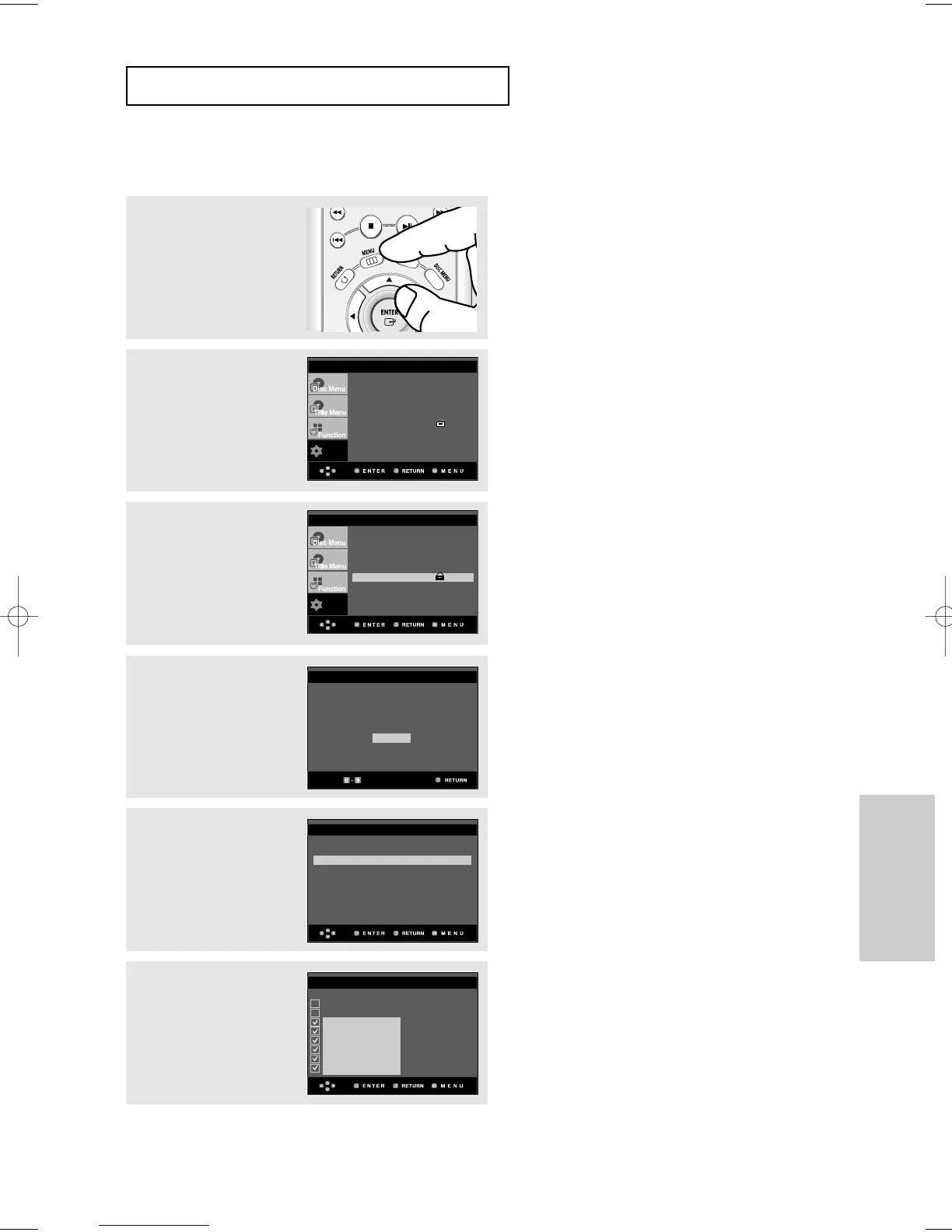
Setting Up the Rating Level
3
Press the
$
/
❷
buttons to
select Parental Setup,
then press the
❿
or
ENTER button.
4
Enter your password.
5
Press the
$
/
❷
buttons to
select Rating Level, then
press the
❿
or ENTER
button.
▼
To make the setup menu disappear, press the
MENU button.
For example, if you select up to Level 6, discs
that contain Level 7, 8 will not play.
6
Press the
$
/
❷
buttons to
select the Rating Level
you want, then press the
❿
or ENTER button.
e.g) Setting up in Level 6.
1
With the unit in Stop
mode, press the MENU
button.
2
Press the
$
/
❷
buttons to
select Setup, then press
the
❿
or ENTER button.
Use Password : Yes
Rating Level : 8
❿
Change Password
❿
PARENTAL SETUP
RATING LEVEL
PASSWORD CHECK
Enter Password
- - - -
Level 8 Adult
Level 7
Level 6
Level 5
Level 4
Level 3
Level 2
Level 1 Kids Safe













 To Next Page