ENG-57
Changing
Setup Menu
CHANGING
SETUP MENU
Setting Up the Language Features
If you set the player menu, disc menu, audio and subtitle language in advance, they will come up
automatically every time you watch a movie.
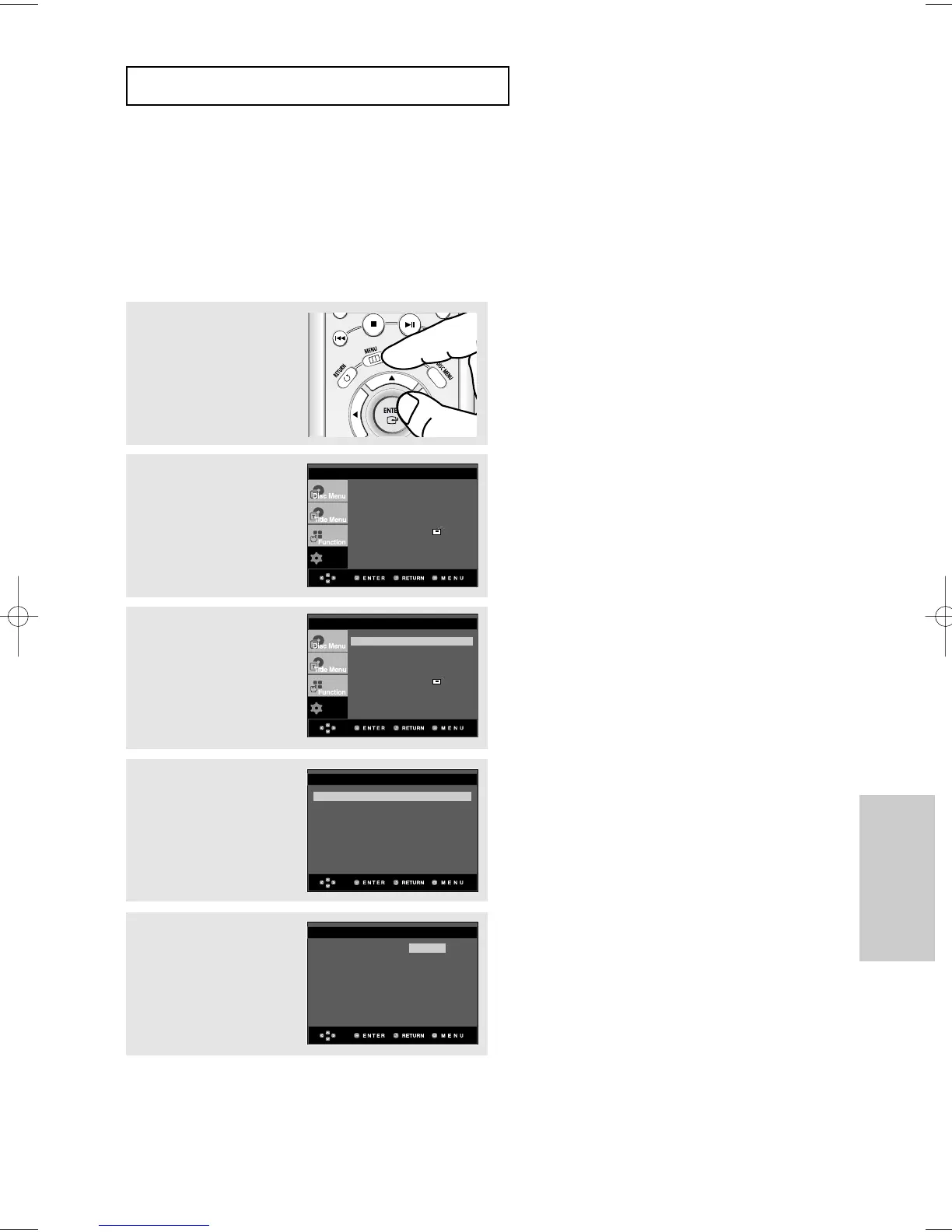
Using the Player Menu Language
1
With the unit in Stop
mode, press the MENU
button.
2
Press the
$
/
❷
buttons to
select Setup, then press
the
❿
or ENTER button.
3
Press the
$
/
❷
buttons to
select Language Setup,
then press the
❿
or
ENTER button.
4
Press the
$
/
❷
buttons to
select Player Menu, then
press the
❿
or ENTER
button.
5
Press the
$
/
❷
buttons to
select the desired
language, then press the
❿
or ENTER button.
▼
- The language is selected and the screen
returns to Language Setup menu.
- To make the setup menu disappear, press the
MENU button.
Player Menu : English
❿
Disc Menu : English
❿
Audio : English
❿
Subtitle : Automatic
❿
LANGUAGE SETUP













 To Next Page