ENG-68
CHANGING
SETUP MENU
Setting Up the Parental Control
The Parental Control function works in conjunction with DVDs that have been assigned a rating,
which helps you control the types of DVDs that your family watches. There are up to 8 rating levels
on a disc.
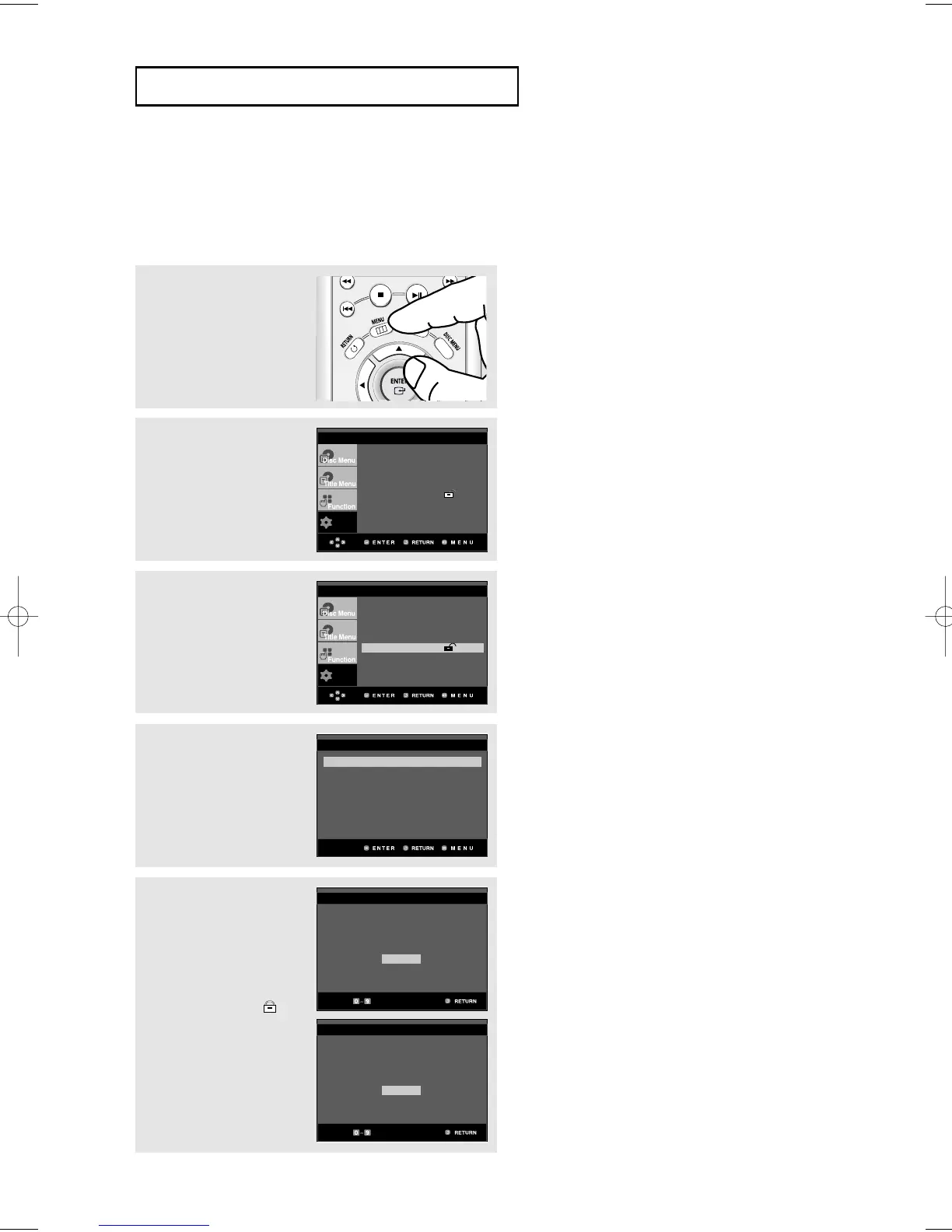
3
Press the
$
/
❷
buttons to
select Parental Setup,
then press the
❿
or
ENTER button.
4
Press the
❿
or ENTER
button to select Yes if you
want to use a password.
The Enter Password
screen appears.
5
Enter your password. The
Re-enter Password
screen appears to confirm
the password. Enter your
password again.
The player is locked ( ).
1
With the unit in Stop
mode, press the MENU
button.
2
Press the
$
/
❷
buttons to
select Setup, then press
the
❿
or ENTER button.
Use Password : No
PARENTAL SETUP
CREATE PASSWORD
Enter Password
- - - -
CREATE PASSWORD
Re-enter Password
- - - -
▼
To make the setup menu disappear, press the
MENU button.













 To Next Page