ENG-23
Basic Functions
BASIC FUNCTIONS
6
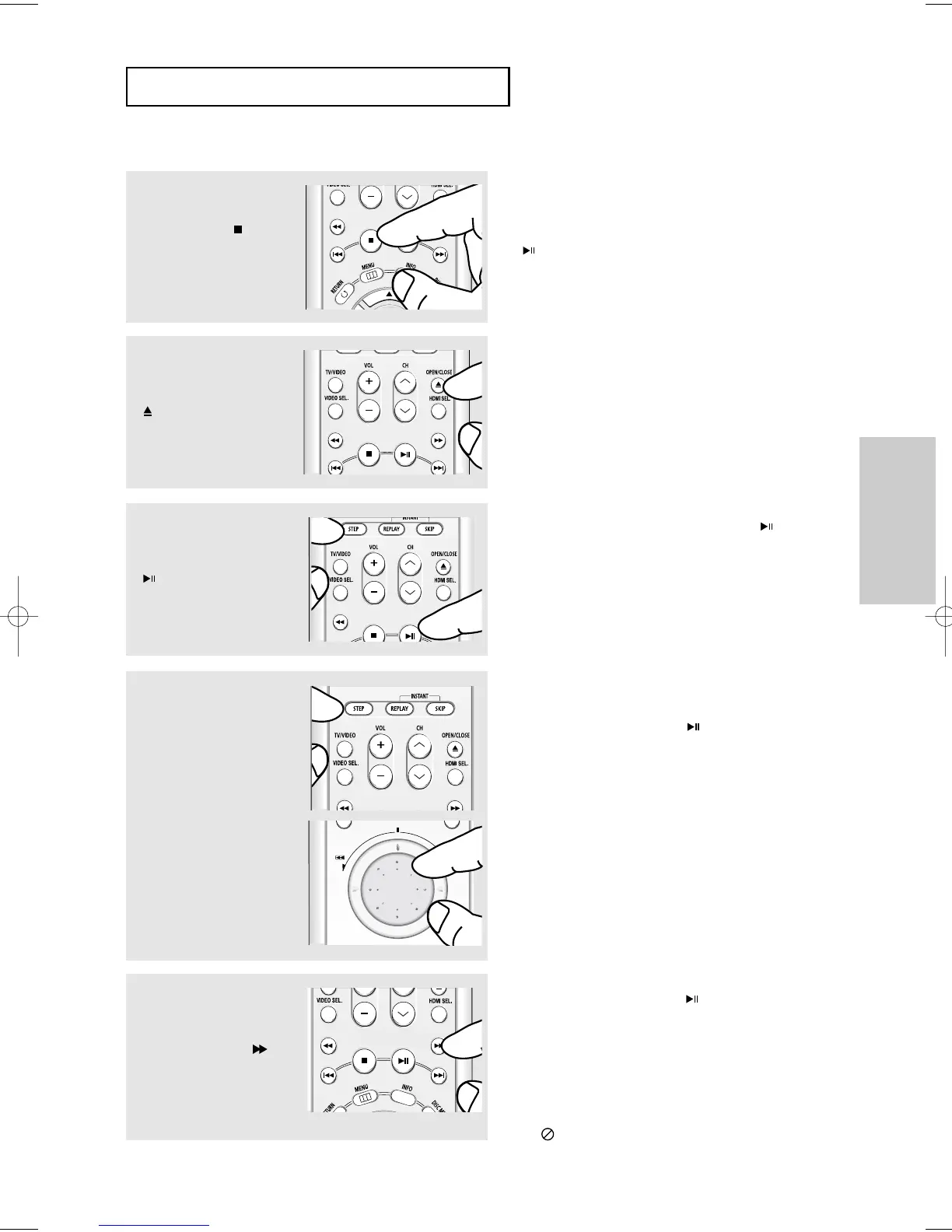
Pausing Play
Press the PLAY/PAUSE
()or STEP button on the
remote control during play.
▼
Screen stops, no sound.
To resume, press the PLAY/PAUSE ( ) button
once again.
Note
If the player is left for about 5 minutes in pause
mode, it will stop.
7
Step Motion Play (Except
CD)
Turn the JOG DIAL clockwise
or press the STEP button on
the remote control during play.
▼
Each time the button is pressed or Jog Dial is
turned, a new frame will appear.
No sound is heard during STEP mode.
Press the PLAY/PAUSE ( ) button to resume
normal play.
You can only perform step motion play in the
forward direction.
5
Removing Disc
Press the OPEN/CLOSE
()button.
8
Slow Motion Play (Except
CD)
Press the SEARCH ( )
button to choose the play
speed between 1/8, 1/4 and
1/2 of normal during PAUSE
or STEP mode.
Note
This ( ) icon indicates an invalid button press.
4
Stopping Play
Press the STOP ( ) button
during play.
Note
- If the player is left in the stop mode for more than
one minute without any user interaction, a screen
saver will be activated. Press the PLAY/PAUSE
( ) button to resume normal play.
- If the player is left in the stop mode for more than
30 minutes, the power will automatically turn off.
(Automatic Power-Off Function)
▼
No sound is heard during slow mode.
Press the PLAY/PAUSE ( ) button to resume
normal play.
Reverse slow motion play will not work.













 To Next Page