ENG-41
Advanced
Functions
ADVANCED
FUNCTIONS
Note
Most DVD AUDIO discs are recorded in Groups you can change Groups with this Function.
Bonus Group playback.
Some DVD AUDIO discs have Bonus groups. If you want to play a Bonus group, you must enter the
Bonus Group code. The code is usually on the DVD AUDIO disc case.
To access the desired Track when there is more than one on the DVD AUDIO disc.
If pages are included with the DVD-AUDIO disc, you can see this icon.
To access the desired page, you can use this Function.
If a slide show is included with the DVD-AUDIO disc, you can see this icon.
In this case, you cannot use PAGE PRE./NEXT buttons.
If a video zone is included with the DVD-AUDIO disc, you can see this icon.
In this case you cannot use PAGE PRE./NEXT buttons.
Allows playback of music from a desired time by using the number buttons.
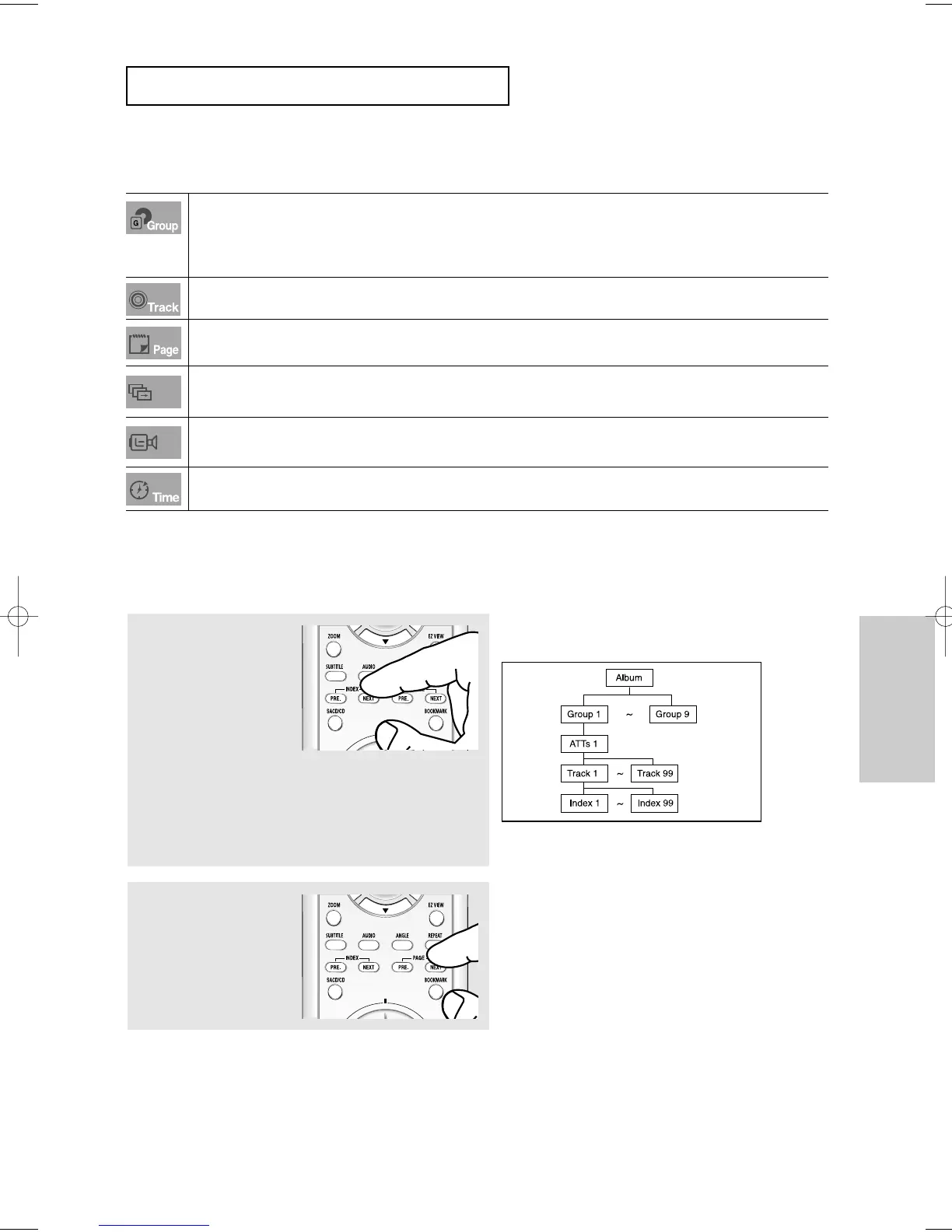
Page, Index Function
1
Use PAGE PRE./NEXT
buttons to Skip the Page
when there is more than one
in a group.
- Some DVD-AUDIO discs
include a slide show. In the
slide show mode, this
function can not be used.
- PAGE is still images.
You can see the still
images when a DVD-
AUDIO disc is played back.
2
Use INDEX PRE./NEXT
buttons to Skip the Index
when there is more than one
in a track.
Note
Depending on a disc, this function may not work.













 To Next Page