OfficeServ 7400 INSTALLATION
TECHNICAL MANUAL PART 7 MAY 2010
7.14
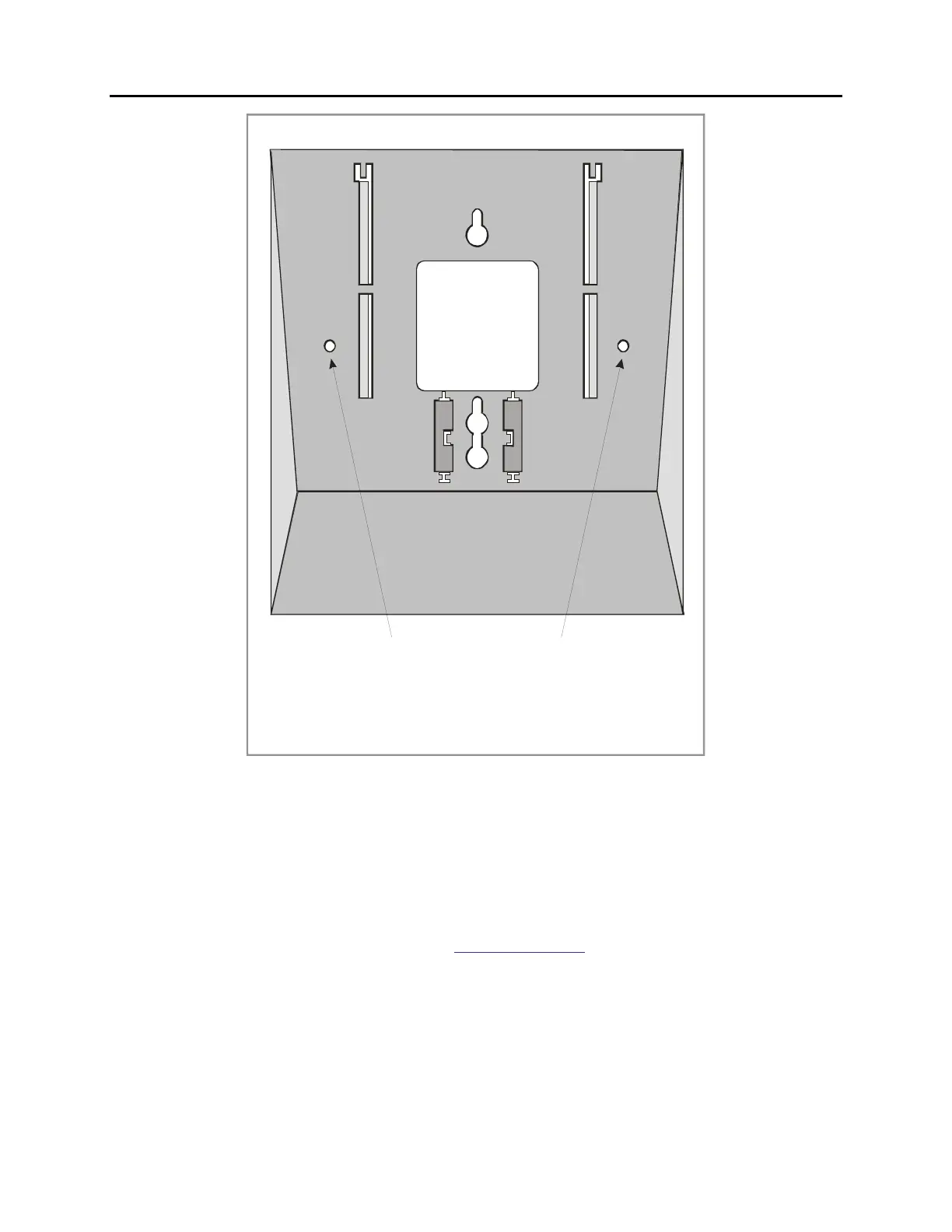
HOLES FOR MOUNTING SCREWS
2
3
5
4
1
NOTE: THE DIRECTORY CARD SLIDE TRAY IS NOT
Figure 7.18 Wall-Mounting a Keyset
Note: The directory card slide tray is not used when the keyset is wall-mounted.
WALL-MOUNTING KEYSETS
iDCS keysets come equipped with a reversible base wedge. To wall-mount a keyset, remove
the wedge from the keyset and remove the directory tray from the wedge. Mount the wedge
to the wall using one of the methods below (see Figure 7.18).
Use screw holes 1 and 2 to attach the base wedge to a standard electrical outlet box.
OR
Use screw holes 1 and 3 to attach to a standard telephone wall-mount plate with locking pins.
This method can cause the keyset to wobble as the keyset feet do not fit securely to the
mounting surface.
OR















 To Next Page