06-2017
CAP. 5
15 / 24
OPERA
Operation of the machine
EN
1
2
A
B
C
D
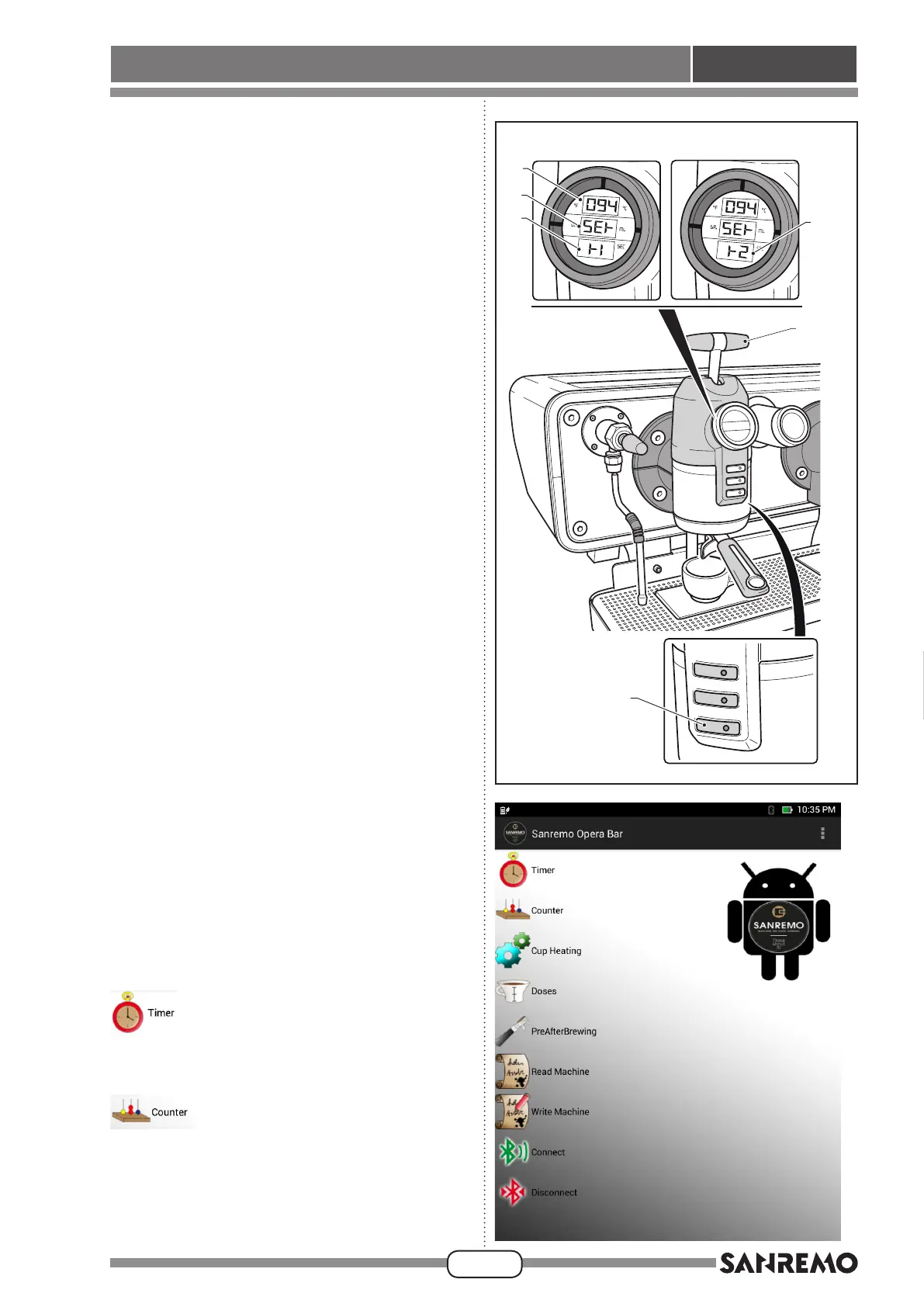
Fig. 21
Coffee water temperature and unit (Fig. 21).
• Pressbutton(1)ontherstunitontheleftandinthe
same time push the level forward.
• Thewatertemperatureisshownineld“A” of the unit
display,while“Set.”isshownineld“B” to indicate
thatthetemperatureisbeingset;eld“C” shows the
message “t1” which indicates that the water temper-
ature is being programmed.
• Use button (3) to decrease the temperature and
button (4) to increase it.
• Toconrmthedatathatwereset,pressbutton(1)to
move to programming the dispensing unit tempera-
tureshownbythemessage“t2”ineld“D”.
• Adjust temperature “t2” in the same way as for pro-
gramming“t1”thenpressbutton(1)toconrmand
leave the programming stage.
• Adjust the temperatures “t1” and “t2” also for the
other units of the machine, as described above for
therstunitontheleft.
5.13.d - Barista programming by means
of a tablet
• Turn on the tablet provided with the machine; accord-
ing to the language set on the tablet the software will
be in Italian if the Italian language is set or in English
if any other language is set.
• Start the “Sanremo Opera Bar” app on the initial
screen, which will display the main screen;
Use this function to program starting and shutting down
the machine and the closing day.
This function can be used to display the number of
coffees dispensed by each unit and by each type of
dispensing, and partial counter can be reset.








 To Next Page