PY Manual Copyright © 2006 SANYO DENKI AMERICA, Inc.
74
Monitor Screen
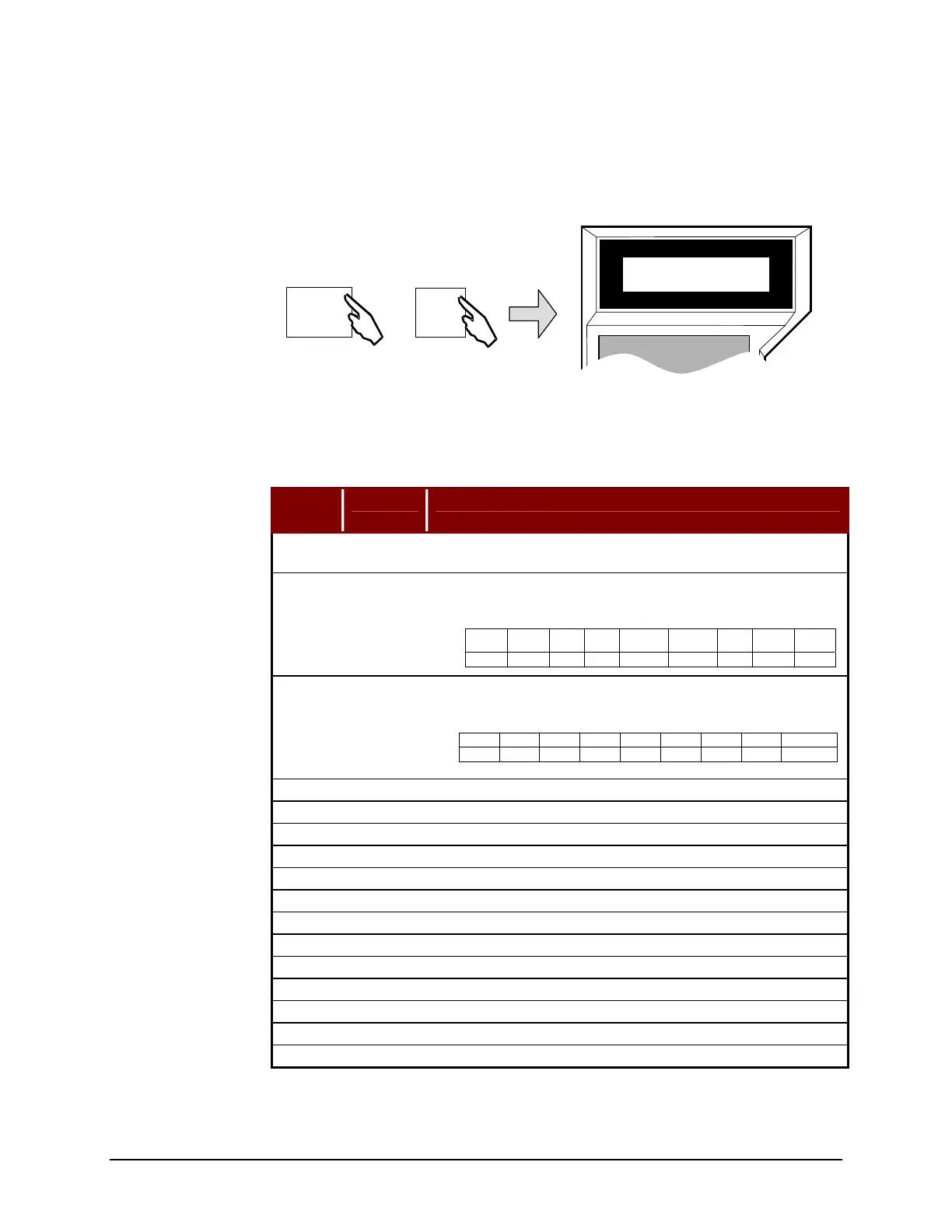
The Remote Operator may be used to monitor inputs, outputs, velocity, current, etc., of
the servo amplifier. The monitor mode is mode 5.
The PY Setup Software Monitoring Mode can be reached by clicking the DIGITAL
MONITOR button on the Main Menu Screen.
Table 18: Monitor Mode Page Descriptions
Page
▼▲
Abbrev Description
0 STATUS
Indicates the internal status of the amplifier. Power OFF, Servo
Ready, Servo ON, Alarms.
1 INPUT
Indicates the input status of CN1 inputs, [1=ON, 0=OFF] and
setting status.
2 OUTPUT
Indicates the output status of CN1 outputs, [1=ON,0=OFF] and
internal drive status.
3 VCMD Indicates the commanded velocity [RPM]
4 VFBK Indicates the actual velocity [RPM]
5 ICMD Indicates the commanded current as a percent [IP/IR x 100%]
6 IFBK Indicates the actual current as a percent [IP/IR x 100%]
7 POS. E Indicates the position error deviation counter value [Pulses]
8 CSU Indicates the electric angle of phase U [Degrees]
9 PCMD F Indicates the position command frequency [Pulses/sec]
10 PS Indicates the absolute position (Hexadecimal)
11 FCCNT Indicates the position free-run counter value (Hexadecimal)
12 Trms Indicates the effective torque (Trma/Tr x 100%)
13 KpM Indicates the position loop gain (rad/s)
14 KvpM Indicates the velocity loop proportional gain (Hz)
15 TviM Indicates the velocity loop integral action time (ms)
Remote Operator
PY Setup Software
Bit 7 6 5 4 3 2 1 0
Name HOME 0 1 PROB2 PROB1
CW
Limit
CCW
Limit
EXOH
Pin 16 - - 15 14 13 12 11
Bit 7 6 5 4 3 2 1 0
Name 0 0 0 0 0 0 OUT1 OUT2
Pin - - - - - - 19 17
SANYO DENKI
REMOTE OPERATOR
*Monitor 1
Input : 00100000
MODE
ON
5
E
Artisan Technology Group - Quality Instrumentation ... Guaranteed | (888) 88-SOURCE | www.artisantg.com



 To Next Page