PY Manual Copyright © 2006 SANYO DENKI AMERICA, Inc.
75
Alarm Trace Screen
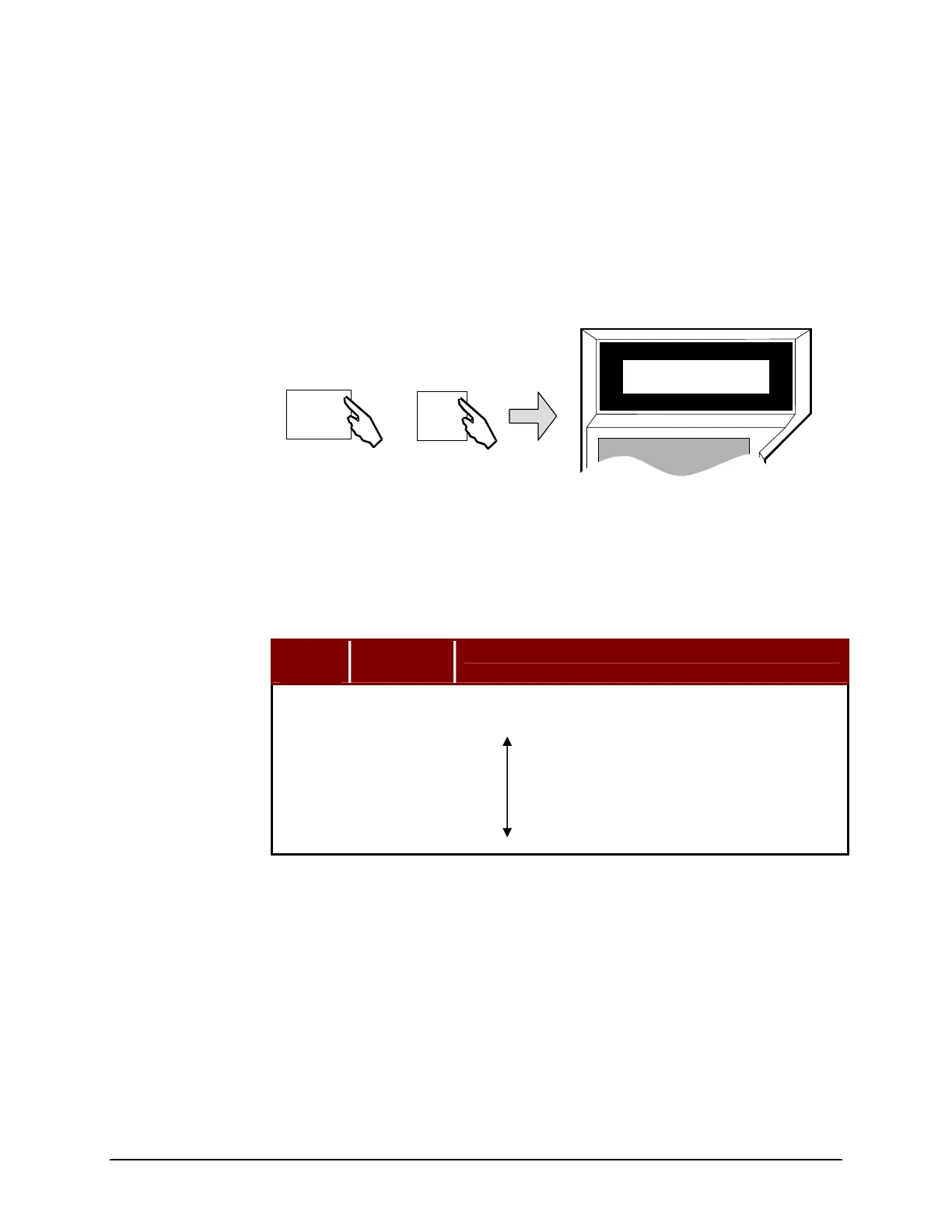
This mode permits you to view a history of the last eight faults that have occurred on the
amplifier. Using the Remote Operator, you may view the current alarm and the previous
7 alarms. Refer to Maintenance and Troubleshooting on page 117, for assistance
determining and correcting the conditions that led to the alarms.
The monitor mode is mode
6.
For the PY Setup Software, click on the ALARM TRACE button on the Main Menu
Screen to view alarm history.
Table 19: Alarm Mode Page Descriptions
Page
▼▲
Switch
Position
Description
0 0 Current Status or Alarm
1 1 Previous Alarm
2 2
3 3
4 4
5 5
6 6
7 7 Oldest Alarm
Remote Operator
PY Setup Software
SANYO DENKI
REMOTE OPERATOR
*Alarm 1
Last1 : EXOH
MODE
ON
6
F
Artisan Technology Group - Quality Instrumentation ... Guaranteed | (888) 88-SOURCE | www.artisantg.com



 To Next Page