EasyManua.ls Logo

SBM SB-9 - Page 27

SBM SB-9
69 pages
Print Icon
To Next Page IconTo Next Page
To Previous Page IconTo Previous Page
Loading...
CURRENCY DISCRIMINATION COUNTER SB-9(2000S) SERVICE MANUAL
- 27 -
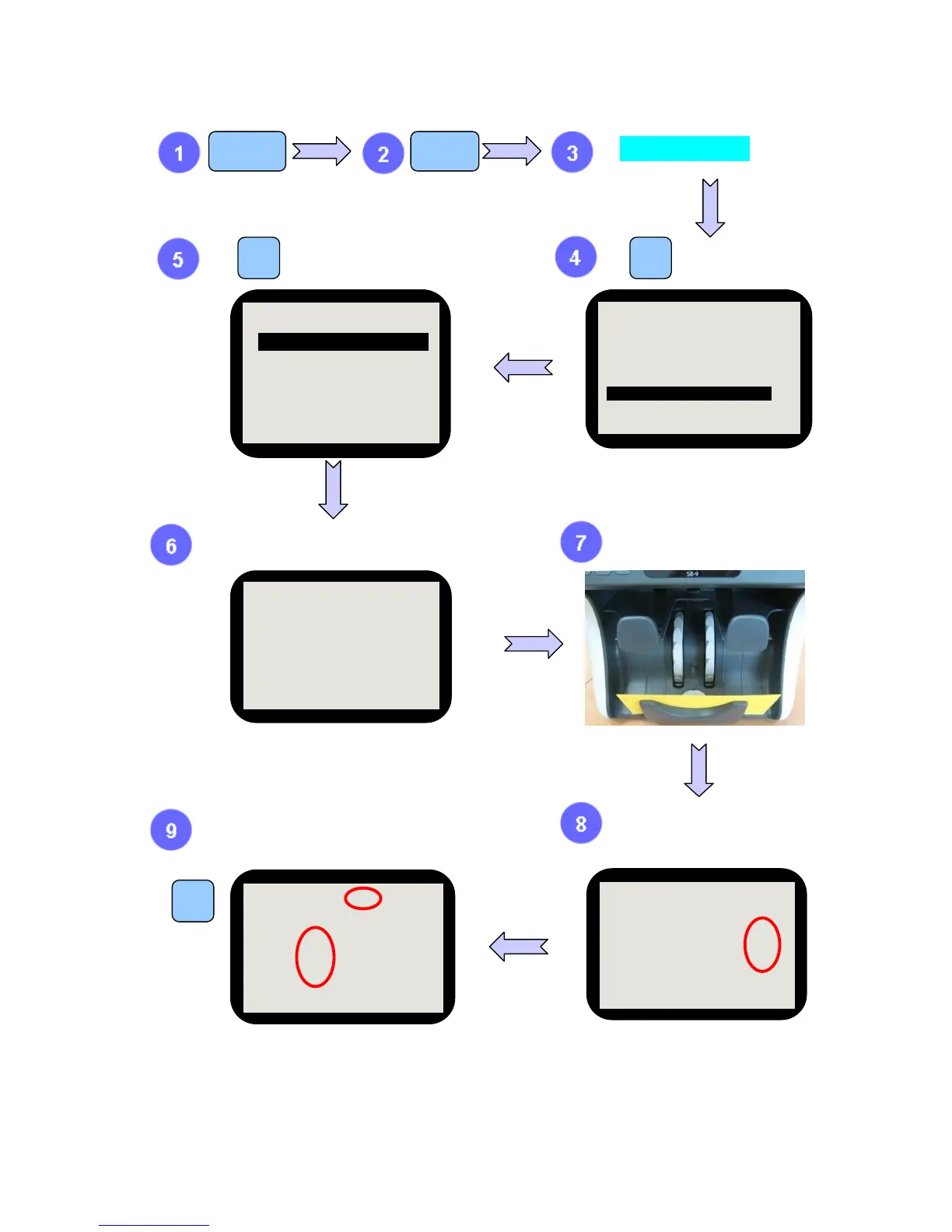
MODE
CODE [ ***** ]
6
1
9 MENU
If ‘▼’ is pressed, the detail on shading of each
currency is displayed.
To skip, press ‘9’.
After check shading result, press clear button.
If you want to move previous Level, press ‘9’.
Shading sheet is pushed out.
If shading of each currency is
done normally,
OK is displayed.
Wait.

SERVICE MENU1
1. ERROR STOP CTRL.
2 .SENSOR LEVEL
3. SYSTEM REPORT
4. SET A/S CALL No.
5. SET MACHINE S/N
6. SHADING_______________
7. SENSOR SELECT
SHADING
1. UV SHADING__________
2. MR SHADING
3. CIS SHADING
4. IR SHADING
UV SHADING
USD OK
EUR OK
( KEY TO SEE NEXT)
UV SHADING
WAIT . . ABOUT 5 SEC
UV SHADING – USD
175 130 95 54
51 51
UV (OK - 670) 670
SUVT (OK - 500) 497
UVR (OK - 300) 301
(▼ KEY TO SEE NEXT)

Other manuals for SBM SB-9

Related product manuals