SENSOR TEST
1. LED TEST
2. HOPPER TEST
3. SENSOR LOGIC TEST
4. IR LOGIC TEST
5. IRA TEST
SERVICE MENU2
1. SENSOR TEST____
2. KEY TEST
3. MOTOR TEST
4. SELECTOR TEST
5. WING SPEED SETTING
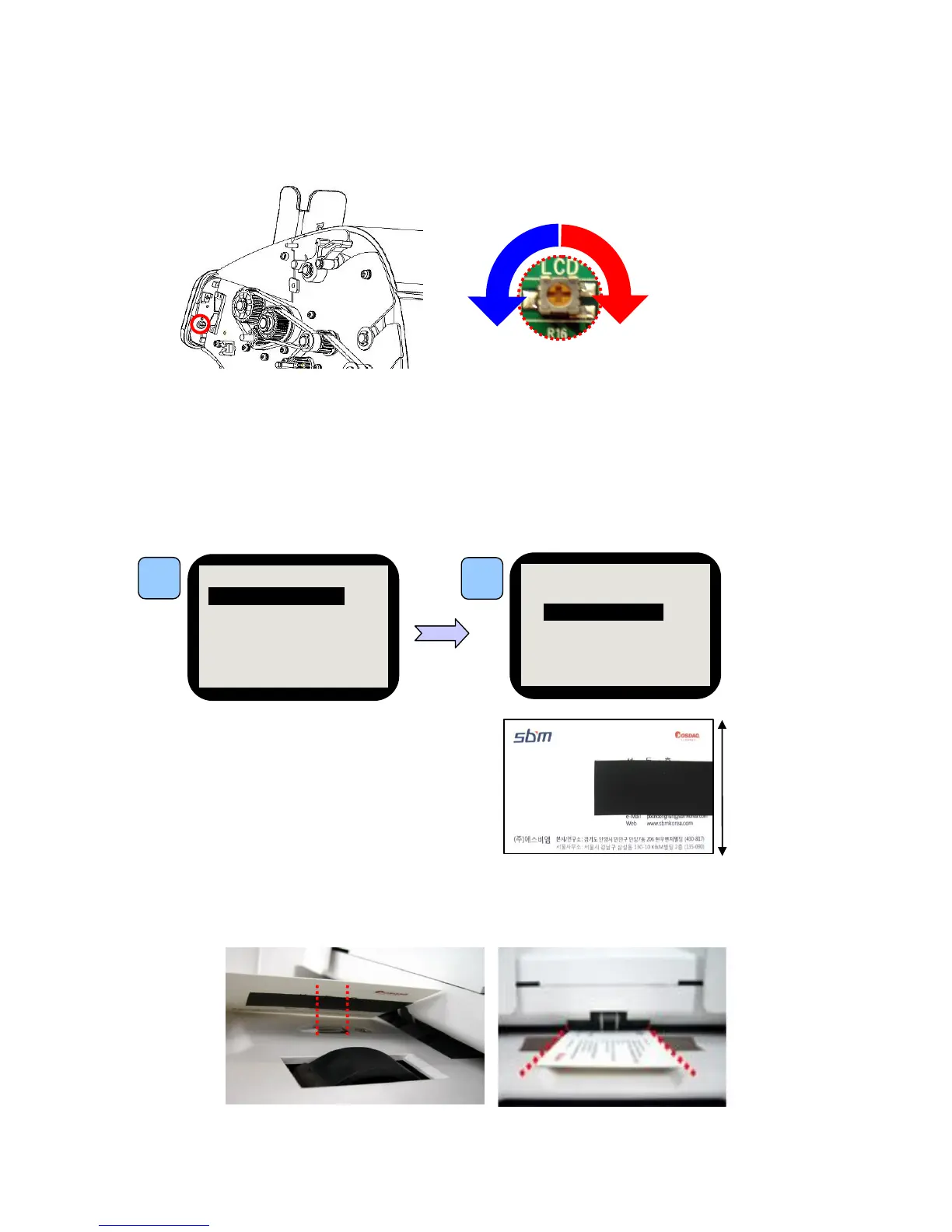
10-5. Hopper sensitivity
Step 1. Hopper Test Mode
Step 5. Adjust brightness referring to the below image.
Adjust R16 (Variable Resistor) with Driver checking LCD Back Light.
Step 3.
Place the Sheet on the Hopper sensor.
Check if the black tape cover Hopper sensor. The sheet should not reach both rollers.
Step 2. Make Sheet for Hopper Test.
Attach printed black sheet to the paper that its width is smaller
than 52mm.
Refer to the image on the right. (It is OK, if matte insulating
tape to kind of business card.)
1



 To Next Page