Step 3. Tighten SCREW (A) as the image on the left side.
At this time, the axis (‘C’) of SOLENOID should be
placed in the center of the hole (‘B’) in BKT
SELECTOR.
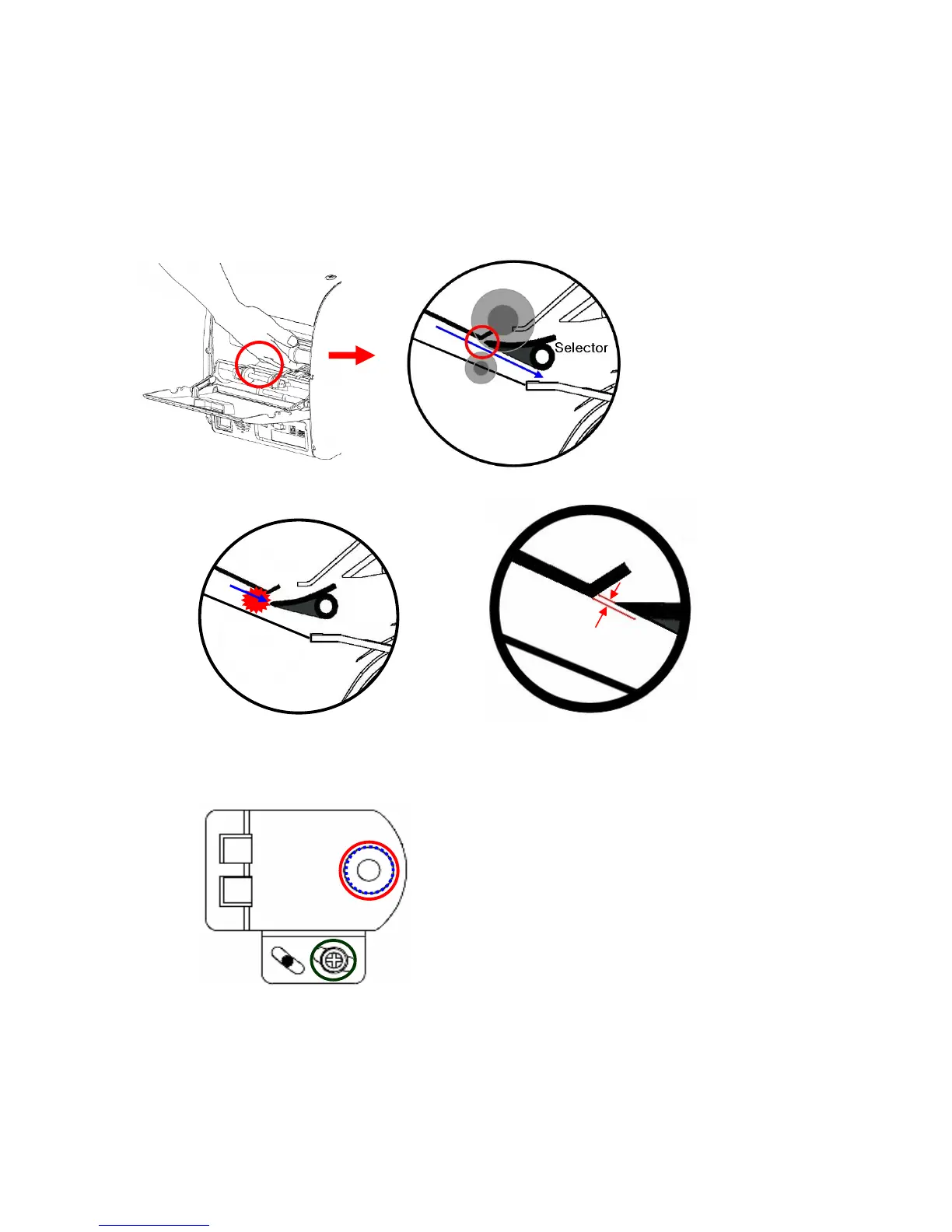
Step 2. Open Rear Door. Put your hand inside of the machine and lift up Guide SELECTOR as the below
image. (In this case, notes are sent to Stacker.)
Step 3. Be careful with the tip of Selector Guide so that notes are not jammed in the Selector while the notes
are transferred. (The image on the left among the below image is an example showing wrong
adjustment of Guide Selector. In this case, notes would be jammed in the Selector. )
Step 4. After adjustment is done, check if Solenoid normally works in ‘Selector Test ‘ Mode.
( Press : ‘9’→’MODE’→ ‘*****’ →’DISPLAY’ →’4’)
A



 To Next Page