22
SCAIME Manual : NU-eNod4D-ETH-E-0418_216710-E.docx
5 COMMUNICATION
5.1 Communication Interface connections
5.1.1 Process control communication
eNod4 Modbus TCP
Modbus TCP A7
eNod4 EtherNet/IP
EtherNet/IP A7
eNod4 Profinet IO
Profinet IO A7
eNod4 EtherCAT
EtherCAT A7
5.1.2 PC communication
eNod4 models can communicate with a PC using the protocols Modbus RTU or SCMBus through the USB connector
accessible from the front panel.
USB Communication stops AUX
communication when used.
The appropriate USB driver can be downloaded from our website: www.scaime.com. It is also available on CD to order
from our sales department.
Note: If eNodView software has been correctly installed, it is not mandatory to re-install the USB drivers when
connecting another eNod4 on the same USB port (Windows only asks for the driver if the device is connected to
another USB port).
5.1.3 AUX Communication (for HMI)
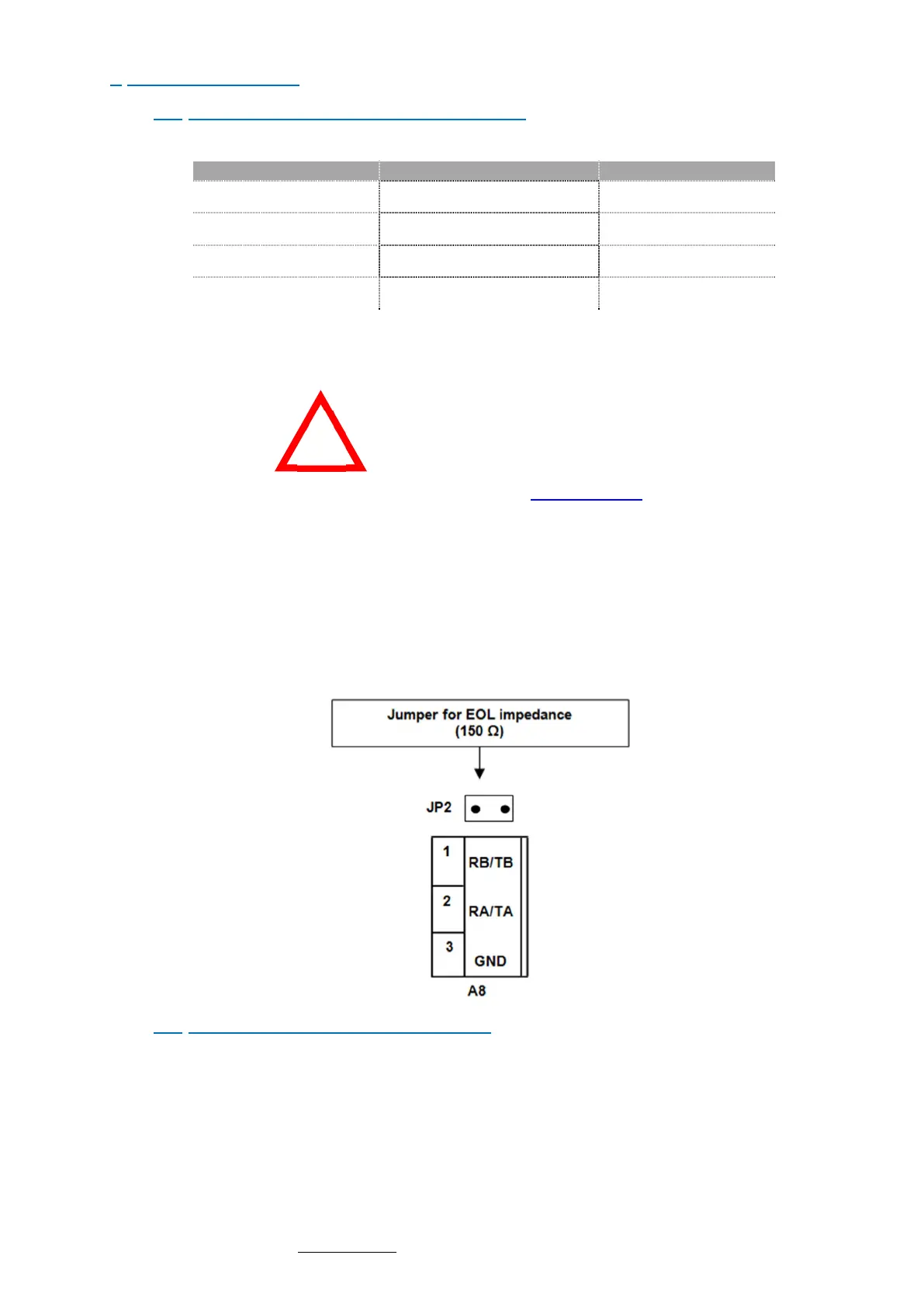
GND (connector pin3) is connected with power supply GND. The common mode voltage admitted is 27VDC from
GND power supply. When eNod4 is at the end of a bus line the 150 Ω integrated resistor can be used (connecting
jumper).
Warning: Do not add termination line jumper on both side if distances between 2 devices is short.
5.2 Communication address selection
Rotary switches selection (SW1 and SW2) accessible from the front panel. The new address only is taken into account
after a reset.
Example: eNod4 address = 3AH = 58d
!



 To Next Page