43
SCAIME Manual : NU-eNod4D-ETH-E-0418_216710-E.docx
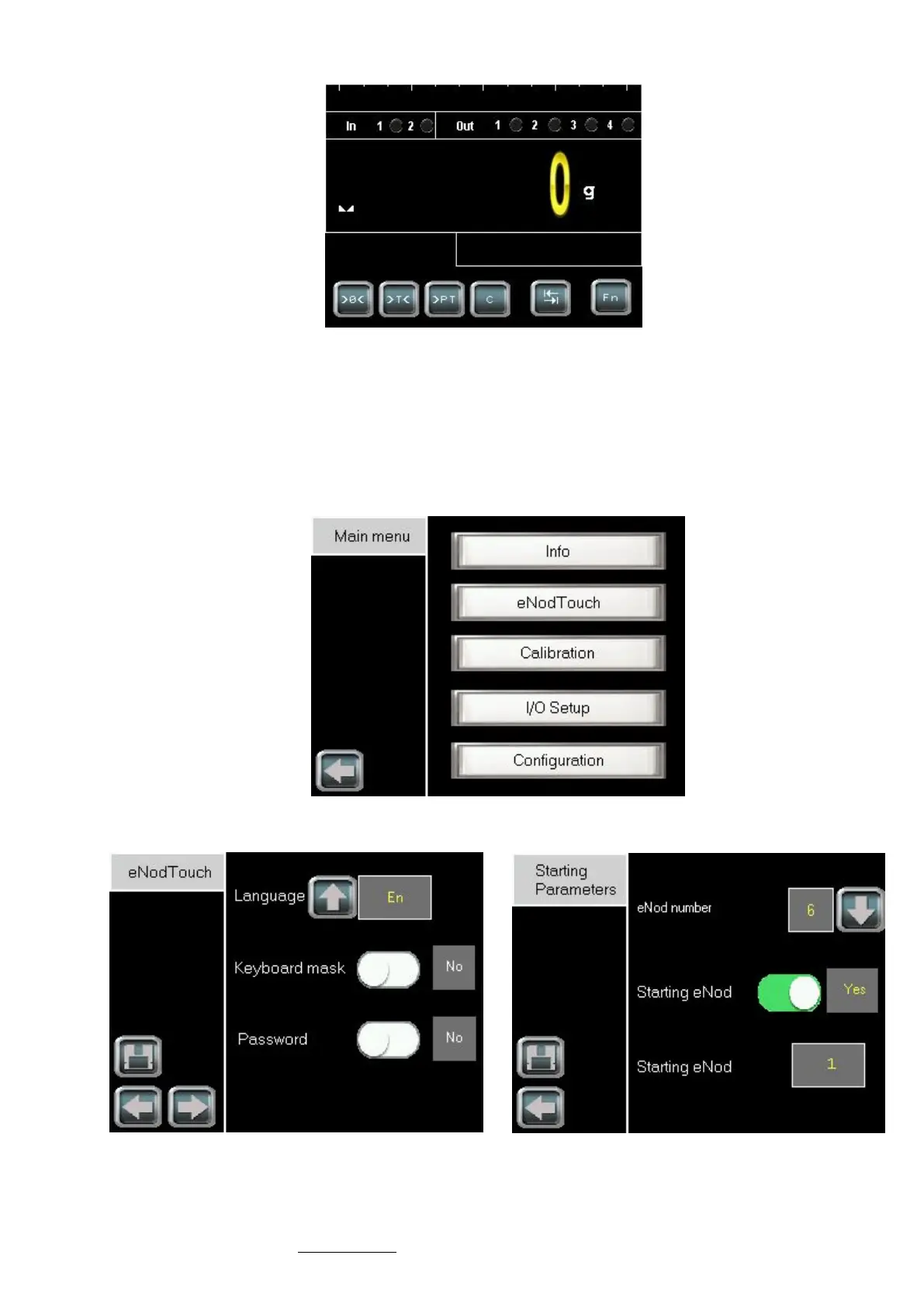
When communication is established the main screen of eNod4 appears:
13.1.2 Multi-eNod screens
13.1.2.1 Increase eNod number
To increase the eNod number and have an access to the multi-eNod screen, please follow the procedure:
- Touch the Fn button of the main screen, the main menu appears.
- Enter in the eNodTouch menu.
- Go to the Starting Parameters screen by touching the right arrow button.
Main Menu
By default the eNod number is 1, eNodTouch starts on the main screen of the first eNod.
eNodTouch menu Starting parameters



 To Next Page