Installation and operating instructions
32 Vers. 1.0 2024_03
4.2.9 Backup, factory reset, offline editing of luminaire names
The configuration of the central and the connected luminaires can be backed up.
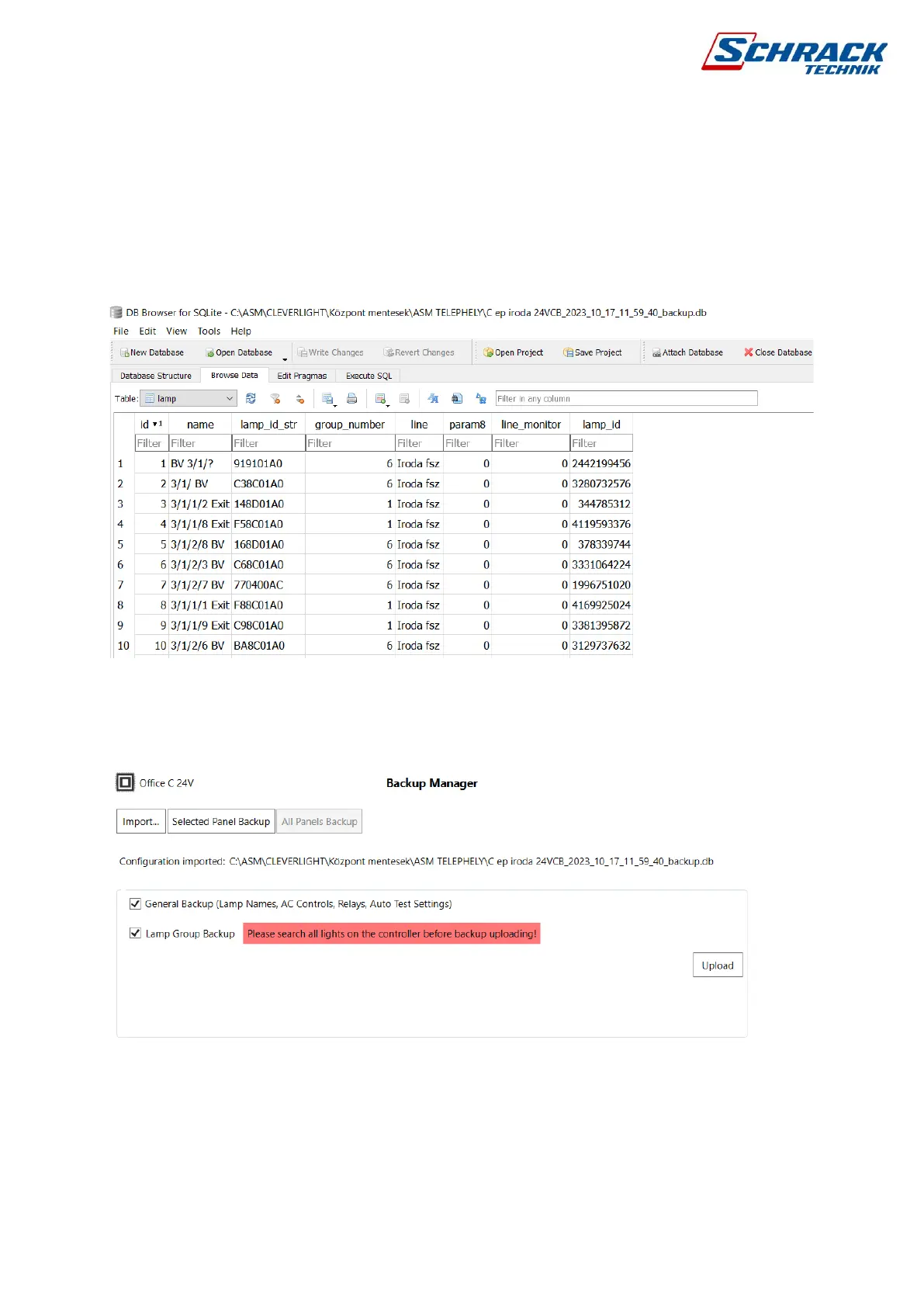
Optionally, it is possible to open the backup file with a database editor (e.g. with the free
program "DB Browser for SQLite") so that luminaire names and groups can be conveniently
edited and then uploaded back to the control center. Using this method, the luminaire names
and luminaire groups can be quickly and efficiently edited in list form based on the backup
files. When reloading, you can choose to override luminaire names and/or groups.
There are two options for restoring to factory settings: using a panel reset command from
programming software or pressing a button on the panel. When the power is off, hold down
the button and power the SECURO 24 PRO panel, wait until all data is erased from the control
panel at the start.



 To Next Page