Installation and operating instructions
19 Vers. 1.0 2024_03
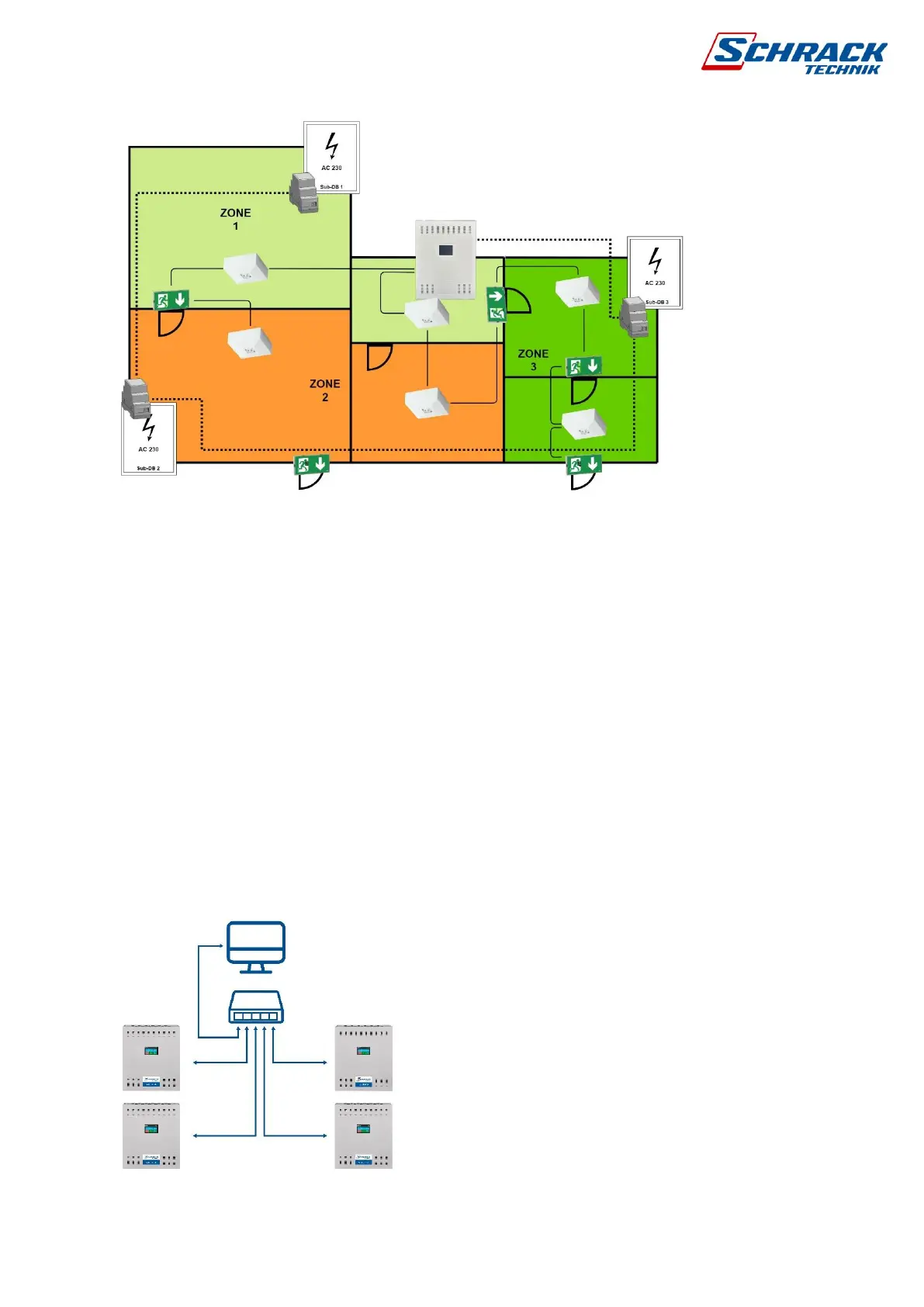
Building floor plan 3-zone example
In this example, we see groups of luminaires divided into 3 zones (groups), the control panel
separately controls the luminaires into emergency mode to indicate each distribution cabinet.
It does not matter which circuits passes through different zones, because the controls are
made by address.
2.10.4 TCP/IP network connectivity
The RJ45 standard TCP/IP connector on the master panel is used to establish a connection
to the computer or other panels in the network. Before connecting for the first time, check the
IP address from the screen, if necessary, change or set automatic IP address assignment if
you have a router in the system. You can read about software programming in a separate
article.
If there are several emergency lighting panels in one building, it is possible to connect one line
monitor to one central and to send AC voltage monitoring commands to the other panels, there
is no established panel hierarchy. In this case emergency luminaires assigned to the same
group number in other centrals will be controlled by the same line monitor command.
TCP/IP connection, max. 254 panels / network



 To Next Page