Installation and operating instructions
35 Vers. 1.0 2024_03
5.1.3 Preferences
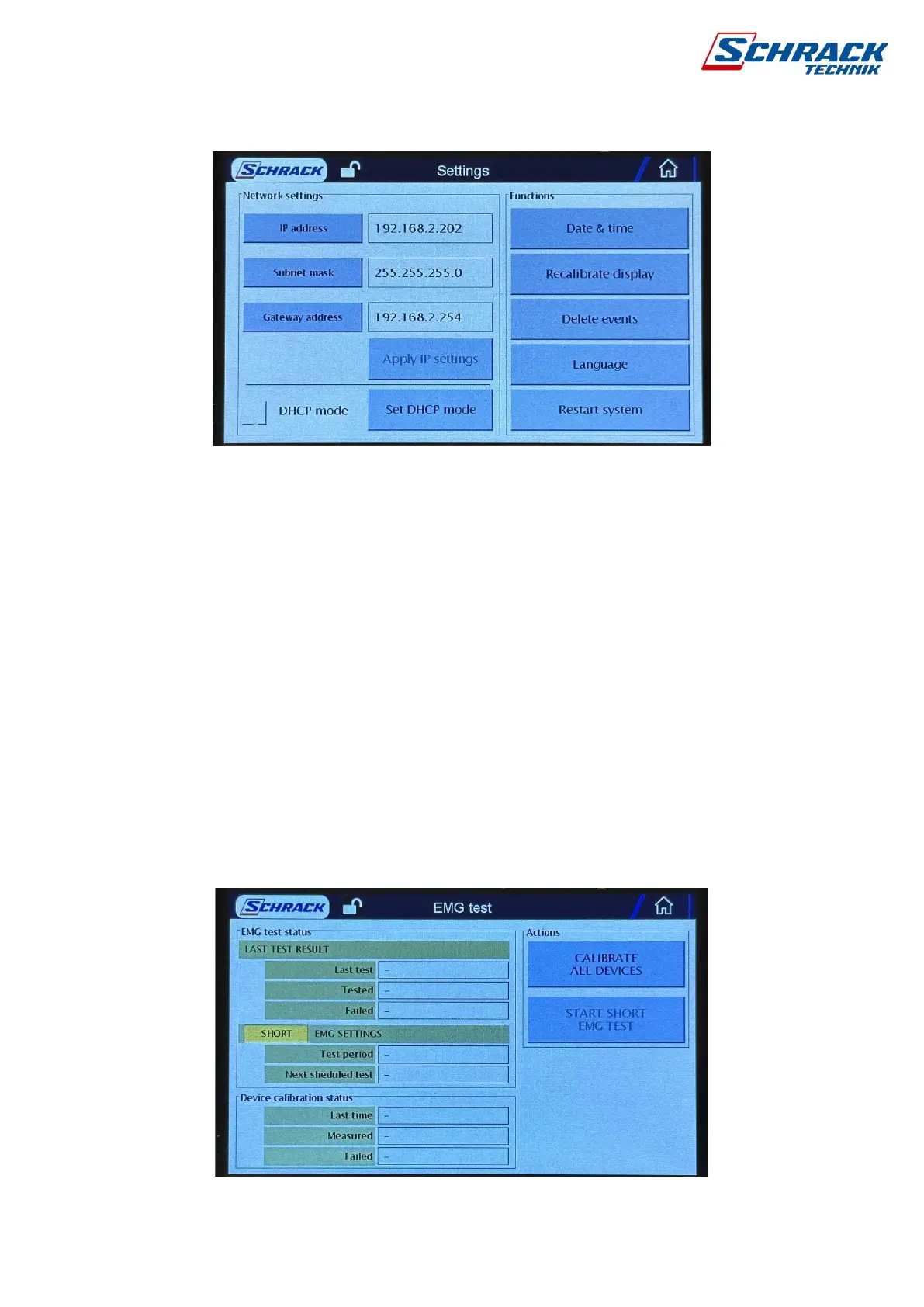
Network Settings: Two options are available, static and automatic DHCP IP address setting.
By default, the control panel has an IP address of 192.168.2.x. To make changes, click the
button next to the entered data, and then use the Set IP button to confirm. If you obtain an
automatic DHCP address, next to DHCP mode, select the check box, and then use the
Configure DHCP button to validate it. You can also change these settings from the
programming software.
Date and time: The system date and time setting are available. It can also be updated in
programming software for the internal clock of the computer.
Screen calibration: If desired, the touchscreen can be recalibrated by following the on-screen
steps.
Delete Event Store: The hub stores the last 2000 events in its memory, which are continuously
overwritten as they become full. You can delete the entire stored events if necessary.
Language: Choose between English, German and Hungarian menus.
By pressing the Restart system button, you can restart the panel without taking power.
5.1.4 EMG Test



 To Next Page