Installation and operating instructions
36 Vers. 1.0 2024_03
The most important verification procedure of the system is function and capacity (battery) test.
For more information on how to configure these, refer to the programming software. From the
screen, you can calibrate the luminaires and start the short function test. The most recent test
result and calibration result can be read. You can switch between the dates of the upcoming
recurring tests by pressing the yellow short/long button.
5.1.5 Events
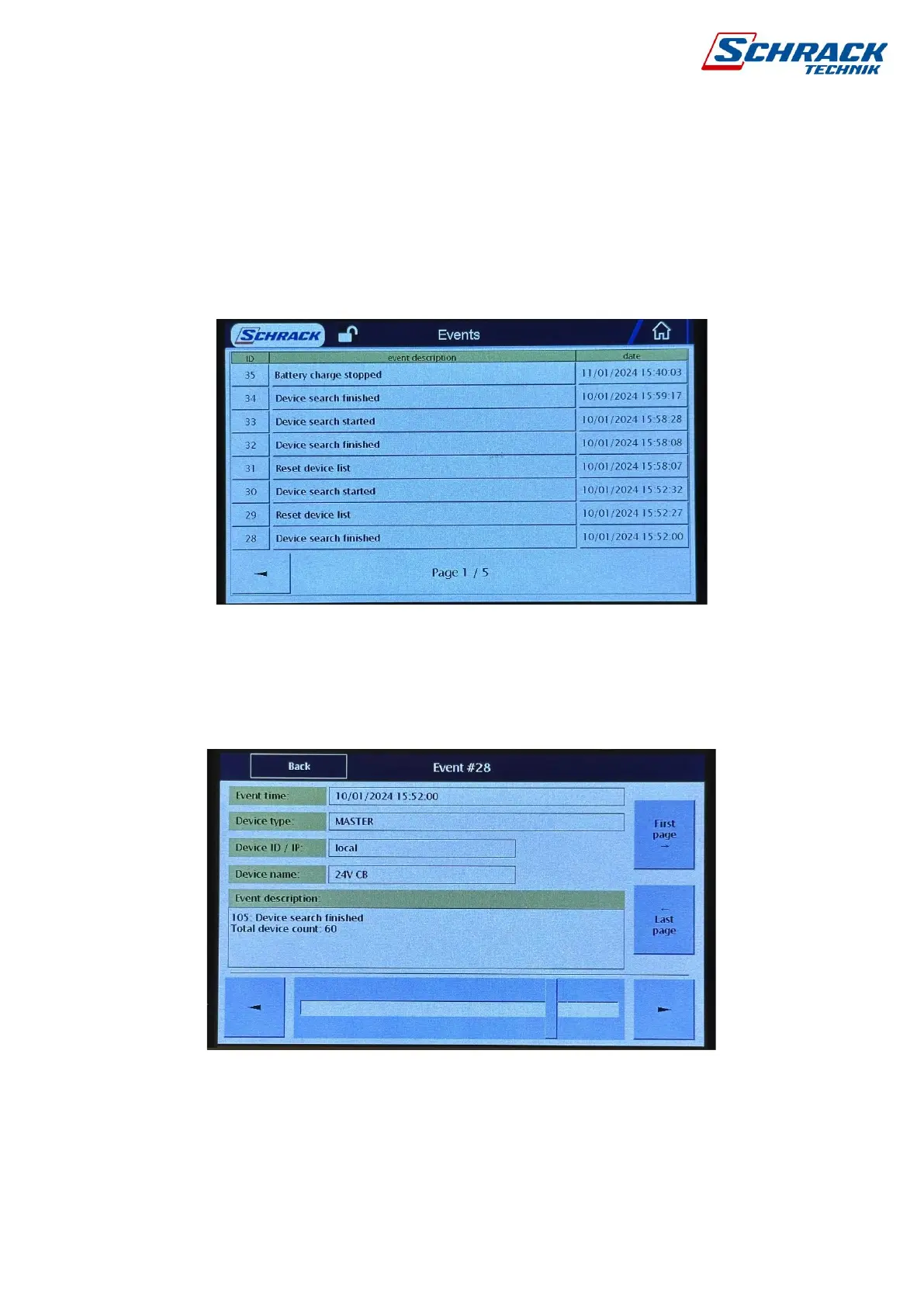
The control panel stores the last 2000 events in its memory, after which old events are
continuously overwritten. The index of the sequence number of events is shown in the first
column, with a short description in the middle and the date/time on the right. Use the arrows in
the lower left and right corners to scroll between pages.
Clicking on the event text opens the details window.
You can also navigate through events in a detail window using the slider or right-left arrows.
5.1.6 Alerts
The screen for displaying current alerts in the system can be accessed by pressing the yellow
triangle icon displayed in the menu bar above. Alerts are collected into multiple groups, from



 To Next Page