Assembly
28
09.00 | PGN-plus | Assembly and Operating Manual | en | 389296
NOTE
The magnetic switch MMS 22-PI1 can be adjusted and taught in
two ways.
• "Standard mode" allows for quick installation on the T-nut
preset by SCHUNK in the groove or the defined setting
dimension "l1."
• In "Optimal Mode", the sensor identifies the optimal position in
the groove itself.
SCHUNK recommends "Optimal Mode" for setting the sensors.
5.3.5 Mount the inductive proximity switch IN 80
CAUTION
Blockade of the gripper after setting or replacing of the
switching cam!
The switching cam can be tilt in the guide, if it was not fixed
exactly in the base jaw.
• Apply the switching cam in the direction of the base jaw, so
that the cam does not contact the housing of the gripper.
Variant Dust-tight:
Before attaching the sensor, remove the sealing bolts from the
bracket. Before adjusting the control cam, unscrew the set-screw
from the side cover.
The switching point of the position "Gripper open" and "Gripper
closed" have already been set by SCHUNK. If these positions are to
be used, carry out the following:
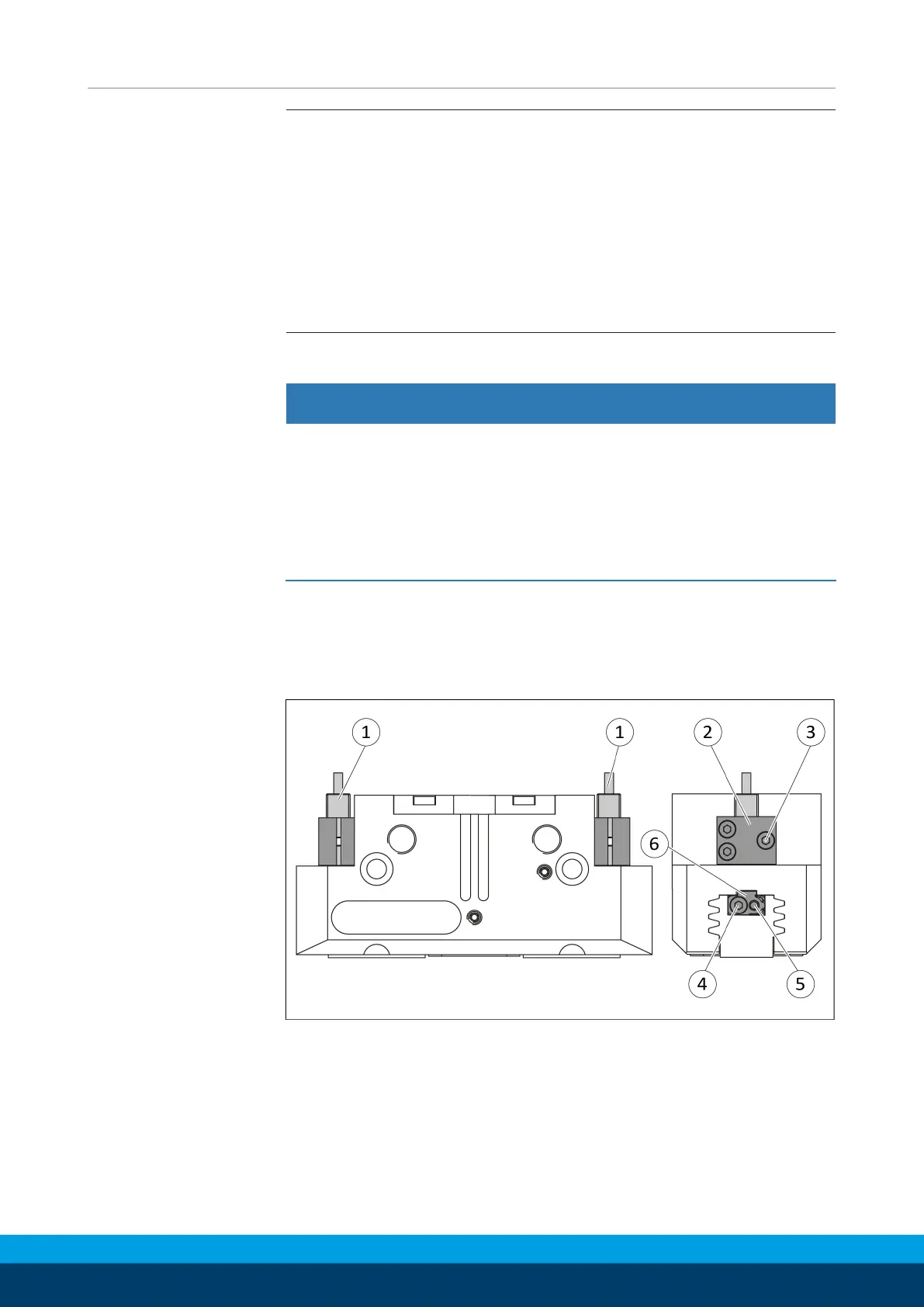
Ø Slide the sensor1 (1) into the bracket (2) until it stops.
Ø Tighten the screw (3) on the bracket (2).
Tightening torque: 0.2 Nm
Ø Slide the sensor2 (1) to the stop into the bracket (2).



 To Next Page