Assembly
09.00 | PGN-plus | Assembly and Operating Manual | en | 389296
45
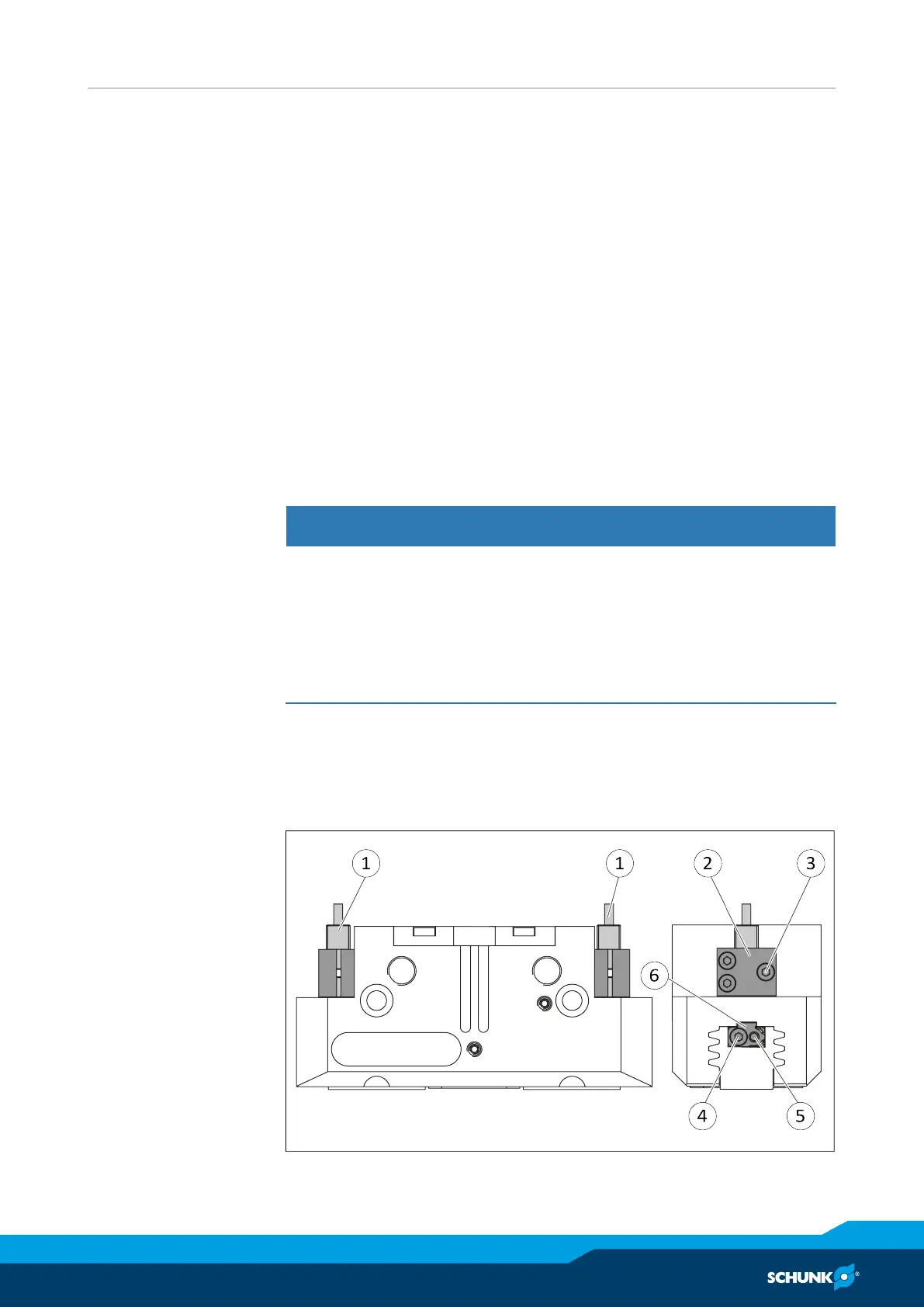
Ø Slide control cam (7) from the mounting kit with the recess at
the front into the base jaw.
Ø Screw the control cam (7) to the base jaw using the screw (8).
Ø Slide spacer shim (9) into the bracket (2) to the stop.
Ø Slide the sensor (1) to the stop into the bracket (2).
Ø Tighten the screw (3) on the bracket (2).
Tightening torque: 0.2 Nm
Ø Adjust sensor (1), see assembly and operating manual of the
sensor.
Variant Dust-tight:
Screw in set-screw into the side cover.
5.3.16 Mount the analog position sensor APS-M1
To be able to mount the sensor, the gripper has to be retrofitted
with a special mounting kit.
CAUTION
Blockade of the gripper after setting or replacing of the
switching cam!
The switching cam can be tilt in the guide, if it was not fixed
exactly in the base jaw.
• Apply the switching cam in the direction of the base jaw, so
that the cam does not contact the housing of the gripper.
Variant Dust-tight:
Before attaching the sensor, remove the sealing bolts from the
bracket. Before adjusting the control cam, unscrew the set-screw
from the side cover.
Ø Move product to the "gripper open" position.



 To Next Page