Assembly
46
09.00 | PGN-plus | Assembly and Operating Manual | en | 389296
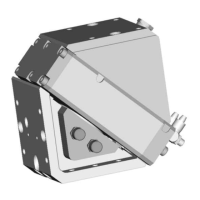
Ø Loosen screw (4) and remove control cam (6) for the inductive
monitoring from the base jaw.
Ø Apply adhesive to the top and sides of the control cam (6) from
the mounting kit.
✓ Make sure that there is no adhesive on the bottom of the
control cam (6), which comes into contact with the sensor.
✓ SCHUNK recommends the adhesive Loctite 290 or 638.
Ø Slide control cam (6) out of the mounting kit front into the base
jaw.
✓ Ensure that the higher front side of the control cam(6) is
pointing outwards.
Ø Tighten screw (4) slightly.
Ø Turn the screw (5) to push the position of the control cam (6).
Ø Tighten screw (4) and in doing so press the control cam (6) in
the direction of the gripper finger.
Ø Slide the sensor (1) to the stop into the bracket (2).
Ø Tighten the screw (3) on the bracket (2).
Tightening torque: 0.2 Nm
Ø Adjust sensor (1), see assembly and operating manual of the
sensor.
Variant Dust-tight:
Screw in set-screw into the side cover.



 To Next Page