BASIC
- 16 -
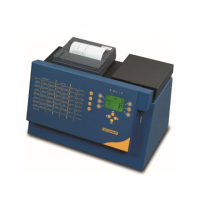
Program keys: each program key can contain two test methods: on the primary position (noticed in
white color) and the secondary position (secondary position are M1 to M47). These program keys are
preassigned to give you an idea of the program capacity and calculation method the instrument is
capable of. You can modify any given test method at any time, experiment your own parameters,
place it at a different key than the original and call it just by one stroke. Before modifying, it is
recommended to print the existing test method.
Number keys: It is included in the selection keyboard and is activated automatically when a value is to
be specified (date, hour, programming values,…)
Cursor keys
: Use these keys to have access to
other functions of the keyboard such as :
- elevator movement
methods on the primary and
secondary positions, next screen
display,
- right arrow for double rinse


 To Next Page