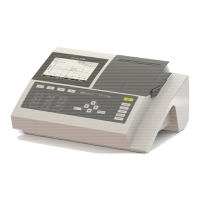
BASIC
- 27 -
7.7.2. On printer
Connect BASIC to a printer.
Press « B
ASIC
-
PRT
».
Two kinds of printing are available:
1) The summary of all analysis (by printing number 0). The printing will be:
1 2 3 4 5
M 47;E; 0 0.0;%;
29/08/1997;08H17; -;?
M 47;E; 1 210.4;%;
29/08/1997;08H19; L;?
M 47;E; 2 -0.0;%;
29/08/1997;08H19; ;?
M 47;E; 3 -0.0;%;
29/08/1997;08H20; ;?
M 47;E; 4 9.9;%;
29/08/1997;08H20; ;?
M 47;E; 5 9.9;%;
29/08/1997;08H20; ;?
M 47;E; 6 9.8;%;
29/08/1997;08H21; ;?
M 47;E; 7 9.8;%;
29/08/1997;08H22; ;?
Column 1: Sample number + characteristics:
B = Reagent blank,
S = Standard,
E = Sample,
C = Control,
b = Blank of reagent blank,
s = Standard blank,
e = Sample blank,
c = control blank.
Column 2: Sample number.
Column 3: Concentration value and unit.
Column 4: Date and time.
Column 5: Status:
-: No problem,
>: Result superior to normal value,
<: Result inferior to normal value,
L: Result superior to linearity limit,
−
: Negative concentration value
B: Blank value superior to linearity limit,
Q: Control non performed,
! : Control badly performed,
- : Control normal.
2) The summary of a patient analyses (report given patient by patient).
Note: the results of the day before can be print if the memory were not re-initialized yet.
7.7.3. Memory initialization
To erase the results stored in memory, press « Init ».
7.7.4. Kinetic report
On methods using KINETICS, the user have the choice of having a short one line final reading
report by choosing « NO » or segment per segment reading through « YES ».


 To Next Page