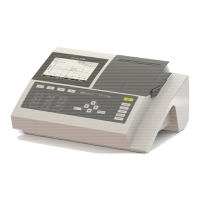
BASIC
- 47 -
When everything goes well OK will be indicated:
SECOMAM - Polyphotometer UV-Vis BASIC V1.11
Date : 04/06/1997 Hour : 09H24
User :
Analysis : ALBUMIN 37°C
S t a n d a r d
A b s .
C o n c e n t r a t i o n
S t a t u s
B l .
R e a g e n t
0 . 0 0 0 0 . 0 0 g / l
S a m p l e 1 . 0 0 0 1 . 0 0 g / l
C o n t r o l 1 . 5 0 0 1 . 5 0 g / l
O K
8.17.
SAMPLE NUMBERING
Sample numbers will be incremented automatically. However you can assign another number through
F2 key. Example : Sample # 3 is to be modified. Press F2, and you will see Sample Nr.1 on the
screen. Press Delete and replace by the number you want using number keys.


 To Next Page