26
ENGLISH
www.sematic.com
Changes can be made without notice
Instruction with handset
811-000-000 SDS© DC-PWM Compatible • Edition 25 March 2016
7.3 REVERSING SYSTEM FORCE SETTING BY MEANS OF THE HANDSET
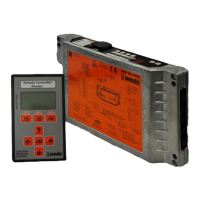
• Connect the handset to RJ45 connector
• If necessary, using keys and choose the required language and confirm with the “OK” key
• Using keys and run through the MAIN MENU and choose PROFILE SETTINGS;
• Press the “OK” key to confirm the option.
• On the display the following options are viewed:
– FAST SETTING
– REVERSING SYSTEM
– ADVANCED SETTINGS
– RESERVED AREA
• Using keys and run through the menu “PROFILE SETTING” and choose the option REVERSING SYSTEM
FORCE
• Using the “OK” key, confirm the option
On the left display side three values are shown selectable with and keys: the maximum value (MAX), the set
value (SET) and the minimum value (MIN).
It is possible to change those values with á and .
On the right display side a graph is shown with the set force percentage regarding the maximum force.
• Using keys á and the viewed value is respectively decreased or increased;
• Press key F2 (<> - ><) to check the door operation with the set reversing force value
• Press key F3 (Menu) to restore the MAIN MENU
• Press key F1 (BACK) to restore the menu PROFILE SETTINGS;
7.4 SPEED PROFILE AND HIGH SPEED ADJUSTMENTS BY MEANS OF THE HANDSET
• Connect the handset to RJ45 connector
• If necessary, using keys and choose the required language and confirm with the “OK” key
• Using keys and run through the “MAIN MENU” and choose “PROFILE SETTINGS”;
• Press the “OK” key to confirm the option
• On the display the following options are viewed:
– FAST SETTING
– REVERSING SYSTEM
– ADVANCED SETTINGS
– RESERVED AREA
• Using keys and run through the menu “PROFILE SETTINGS” and choose the required option
• Using the “OK” key, confirm the option
• The following options are available:
– “BACK”: press key F1 to restore the “MAIN MENU”;
– “MENU”: press key F3 to restore the “MAIN MENU”;
7.4.1 Option “Fast settings”
This option allows to easily and quickly modify the speed profiles. Choose this option as indicated in the first part
of § 8.5 (pg. 31)
The following options are viewed on the display:
• OPENING PARAMETERS;
• A diagram shows the examined cycle speed profile (opening or closing);
• On the upper left side a number is given which indicates the currently used speed percentage. Using keys
and on the handset to modify it.
• On the lower left side a number is given which indicates the currently used speed m/s.
• On the lower left side a number is given which indicates the time “T:” in seconds required to perform the
opening cycle;
• Using keys and , the value of the speed parameter is respectively increased or decreased;
• Using keys á and , it is possible to change the parameter to be set; the parameters which are available are
“HIGH SPEED”, “LOW SPEED”, “COMFORT”;


 To Next Page