ENGLISH
www.sematic.com
Changes can be made without notice
Maintenance Menu - diagnostics and alarm management
33
811-000-000 SDS© DC-PWM Compatible • Edition 25 March 2016
9 MAINTENANCE MENU - DIAGNOSTICS AND ALARM MANAGEMENT
9.1 CONSULTING THE MAINTENANCE MENU WITH THE HANDSET
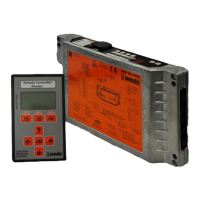
• Connect the handset to the RJ45 connector
• If necessary, using keys and choose the required language and confirm with the “OK” key or confirm the
suggested language with “OK”
• Using keys Up Arrow” and , run through the “main menu “and choose “Maintenance”
• Press “OK” to confirm the choice
• The following options are viewed on the display:
– MONITOR
– STATISTICS
– LAST ALARMS
– ALARMS COUNTERS
– DISPLAY CONTRAST
– BATTERY
– MLC MONITOR (MAIN LIFT CONTROLLER MONITOR)
– WARRANTY DATA
• The following options are available:
– “BACK”: Press key F1 to restore the MENU MAINTENANCE
– “MENU”: Press key F3 to restore the MAIN MENU
• Using keys and , run through the MAINTENACE menu and choose the required option
• Press “OK” to confirm the choice
If the option MONITOR is chosen, the display shows opening and closing speed profiles, with a indication of the
speed in m/s. The following options are available:
• “Loop”: Pressing key F1 the door performs a number of consecutive opening and closing cycles until key F1 is
pressed again. Before movement it is possible to set the pause gap between an opening and closing cycle.
Confirm with “OK” key.
• “<>” or “ >< “: Press key F2 to let the doors respectively open or close
• “MENU”: Press key F3 to restore the MAIN MENU
If the option STATISTICS is chosen , the display shows the door total working time expressed in
days:hours:minutes, the cycle total number which have been performed in this working time and the manufacture
date. The following options are available:
• “BACK”: Press key F1 to restore the menu MAINTENANCE
• “MENU”: Press key F3 to restore the MAIN MENU
If the option LAST ALARMS is chosen the display shows the last occurred alarms showing their code, the relevant
description and time of occurrence (day :hour :minute from the door controller start-up). Using keys and ,
run through the stored alarm list. The following options are available:
• “BACK”: Press key F1 to restore the menu MAINTENANCE
• “CANC”: Press key F2 to cancel all stored alarms
• “MENU”: Press key F3 to restore the MAIN MENU
If the option ALARMS COUNTERS the display views the alarm list showing their code, the relevant description
and the number of times they have occurred. Using keys and , run through the stored alarm list. The following
options are available:
• “BACK”: Press key F1 to restore the menu MAINTENANCE
• “CANC”: Press key F2 to cancel all stored alarms
• “MENU”: Press key F3 to restore the MAIN MENU
The viewed alarms are the same as in the Alarms Table in § 6.11 (pg. 23)
If the option DISPLAY CONTRAST is chosen, the display shows a dark square and allows the setting of the LCD
contrast, by means of the and keys; adjust to best view and confirm with “OK” key. The following options
are available:
• “BACK”: Press key F1 to restore the menu Maintenance
• “MENU”: Press key F3 to restore the Main Menu


 To Next Page