ENGLISH
www.sematic.com
Changes can be made without notice
Controller software upgrade
35
811-000-000 SDS© DC-PWM Compatible • Edition 25 March 2016
10 CONTROLLER SOFTWARE UPGRADE
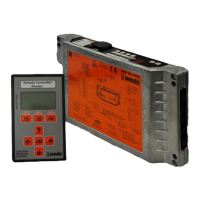
• Connect the handset to the RJ45 connector
• If necessary, using keys and choose the required language and confirm with the “OK” key or confirm the
suggested language with “OK”
• Using keys and , run through the MAIN MENU and choose “UPGRADE”
• Press “OK” to confirm the choice
• Display shows the last available update and the software version in use at the moment.
• Press “OK” to confirm the software update
• Controller operates a reset and the display shows “Upload” with the progression value of data loading
• At the end of the upload the controller operates a reset
• It is anyway advisable to run a new SELFLEARNING CYCLE and to check the parameter settings
In case of interruption of connection between handset and controller during the data transfer, turn “off” the
controller, turn it “on” again and reconnect the handset. The upload starts again from the beginnin.


 To Next Page