OmniHub CMP203– User Manual
Page 33 of 109
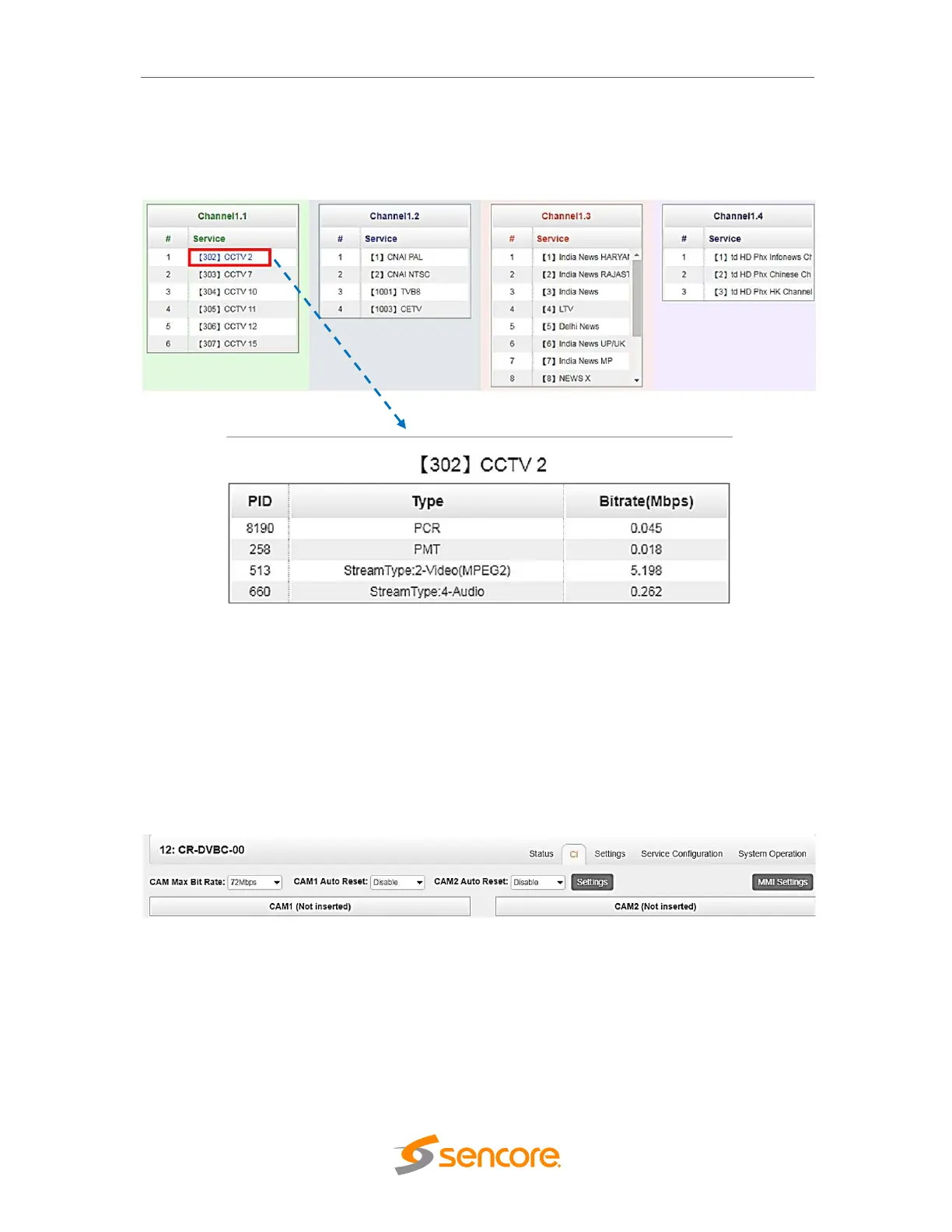
You can also check the service details in each channel under Service info. Click the
icon under Service List to check service information of all the inputs. You can also
check program details by clicking the Service Name.
3.3.1.2 Module CI
For the encrypted services on DVBC receiver, CI slot is needed to decrypt the services
and to be able to re-broadcast the services. The CR2-DVBC-00 have 2 CAM slot and
can decrypt services depending on the capability of the Smart Card. You can select the
CAM Max Bit Rate from 48 Mbps to 108 Mbps which you can choose in pull-down list.
3.3.1.3 Module Settings
Setting is the page where we input the Parameter of the received signal. For DVBC
input, it only needs to have the Frequency and Symbol Rate of the source. The range of
the Frequency and Symbol Rate to be input on this page is show on the table below.
Once the parameters are encoded, click on apply and check the signal status of the
channel in Status page and see if the corresponding channel status is LOCKED or
UNLOCKED.



 To Next Page