Using the SK 300 G4
144
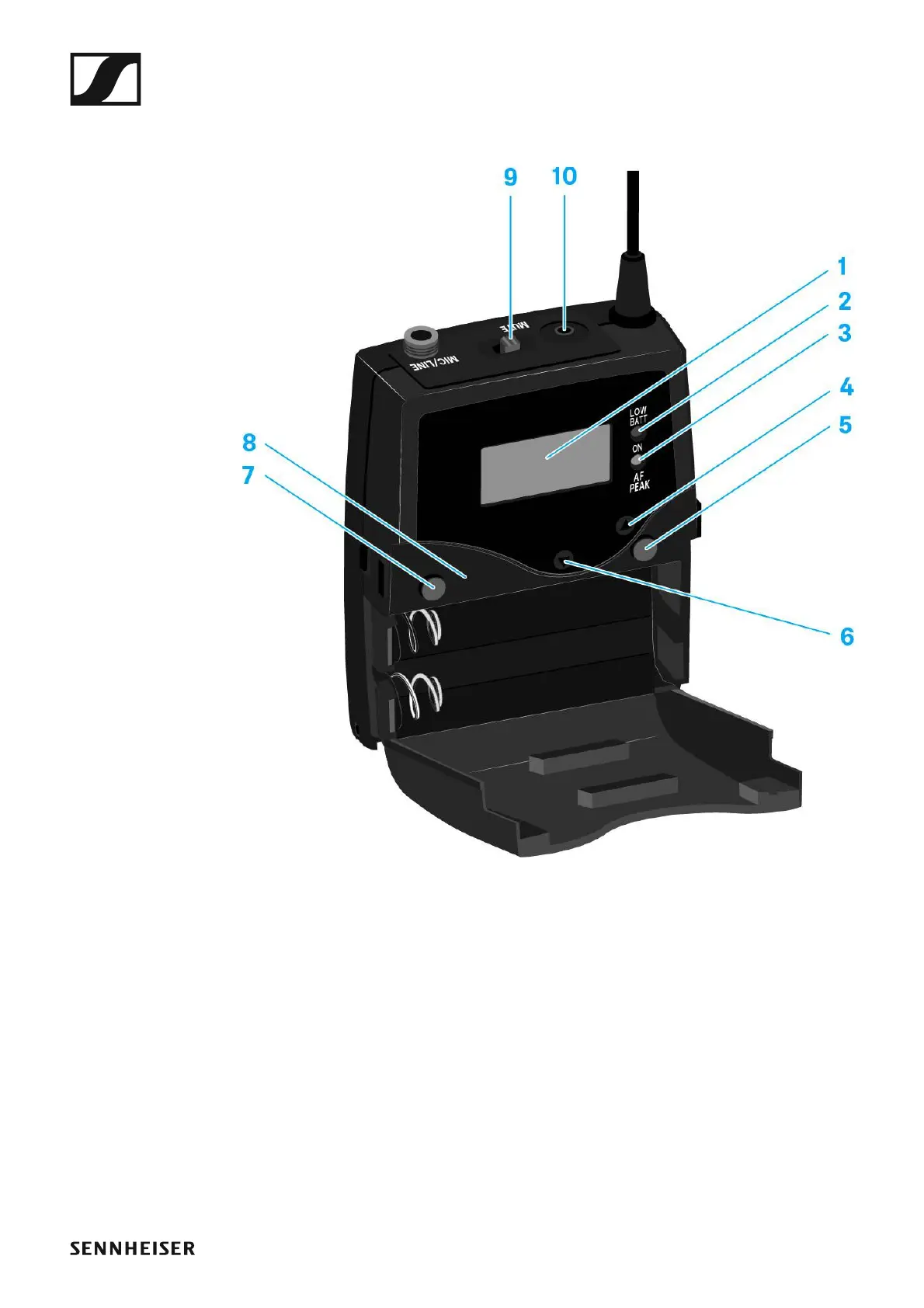
Operating elements of the SK 300 G4 bodypack
transmitter
►
1 Display panel
• See “Displays on the SK 300 G4 bodypack transmitter display panel”
2 Operation and battery indicator, red LED
• illuminated = ON
See “Switching the SK 300 G4 bodypack transmitter on and off”
•flashing = LOW BATTERY
See “Inserting and removing the batteries/rechargeable batteries”
3 Audio overload indicator, yellow LED
• illuminated = AF PEAK (overload)
See “Sensitivity menu item”
4 UP button
• See “Buttons for navigating the SK 300 G4 menu”
5 SET button
• See “Buttons for navigating the SK 300 G4 menu”







 To Next Page