Using the EM 300-500 G4
82
Displays on the EM 300-500 G4 display panel
Status information such as reception quality, battery status, audio level,
etc. is displayed on the home screen of the display panel. See “Home
screen”.
The display panel also displays the operating menu, which you can use to
configure all of the settings. See “Setting options in the menu”.
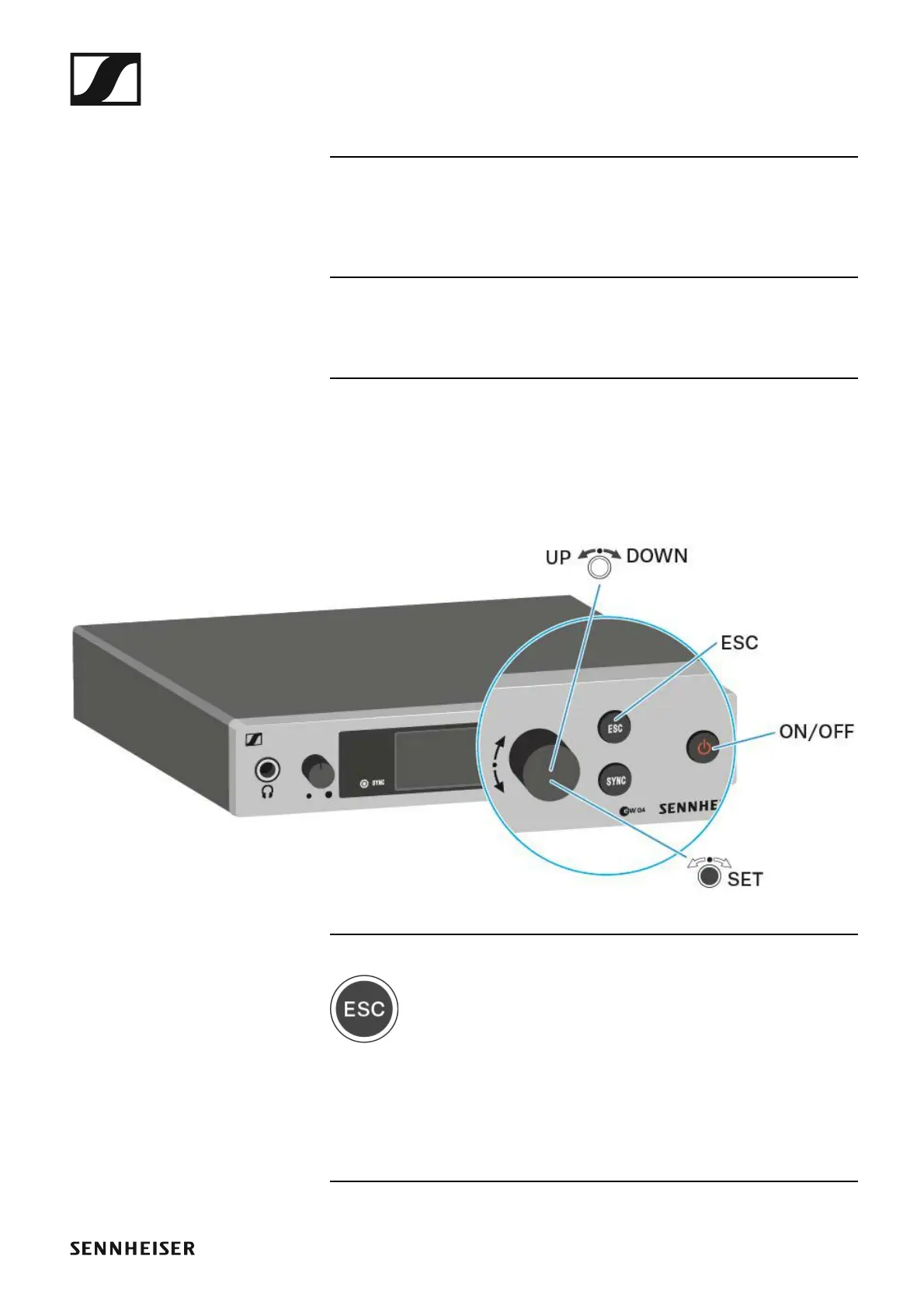
Buttons for navigating through the menu
To navigate through the EM 300-500 G4 operating menu, you need the fol-
lowing buttons.
►
►
Short-press the ESC button
• Cancels the entry and returns to the previous display
Long-press the ESC button
• Cancels the entry and returns to the home screen













 To Next Page