Installing the SK 300 G4
51
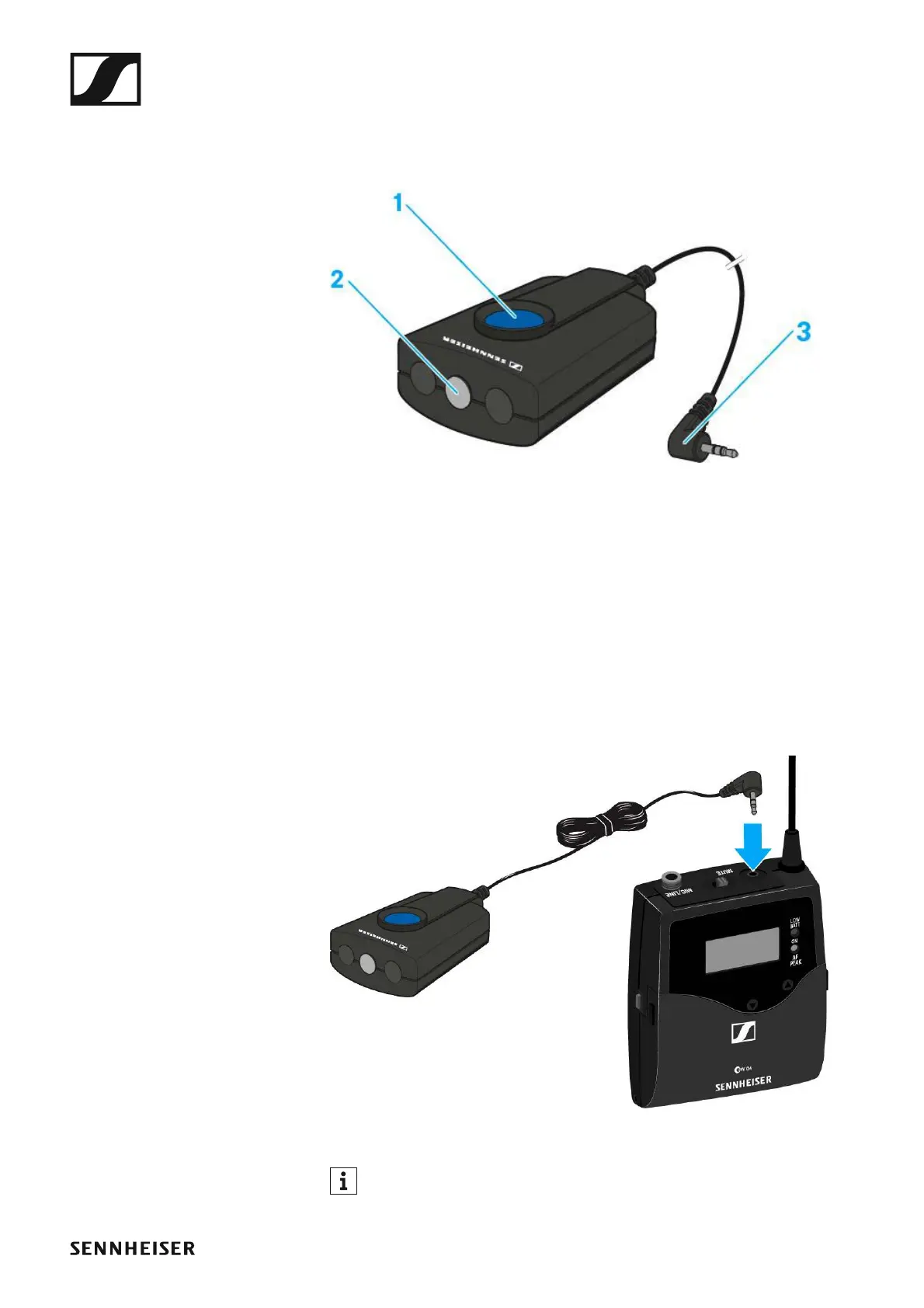
Connecting the RMS 1 mute switch to the SK 300
You can control the SK 300 G4 remotely via cable with the RMS 1 remote
mute switch.
►
1 MIC button
• See “Using the SK 300 G4 with the RMS 1 remote mute switch”
2 STATUS LED
• See “Advanced > MIC LED menu item”
3 2.5 mm jack plug
To connect the RMS 1 to the SK 300 G4:
▷ Insert the 2.5 mm jack plug of the RMS 1 into the 2.5 mm jack socket of
the SK 300.
This deactivates the function of the MUTE switch of the SK 300 G4.
You can find information about operating the RMS 1 under “Using the
SK 300 G4 with the RMS 1 remote mute switch”.













 To Next Page