Installing the SK 300 G4
49
Connecting a microphone to the SK 300 G4
You can find a list of recommended Lavalier and headset microphones for
the bodypack transmitter under “Microphones and cables”.
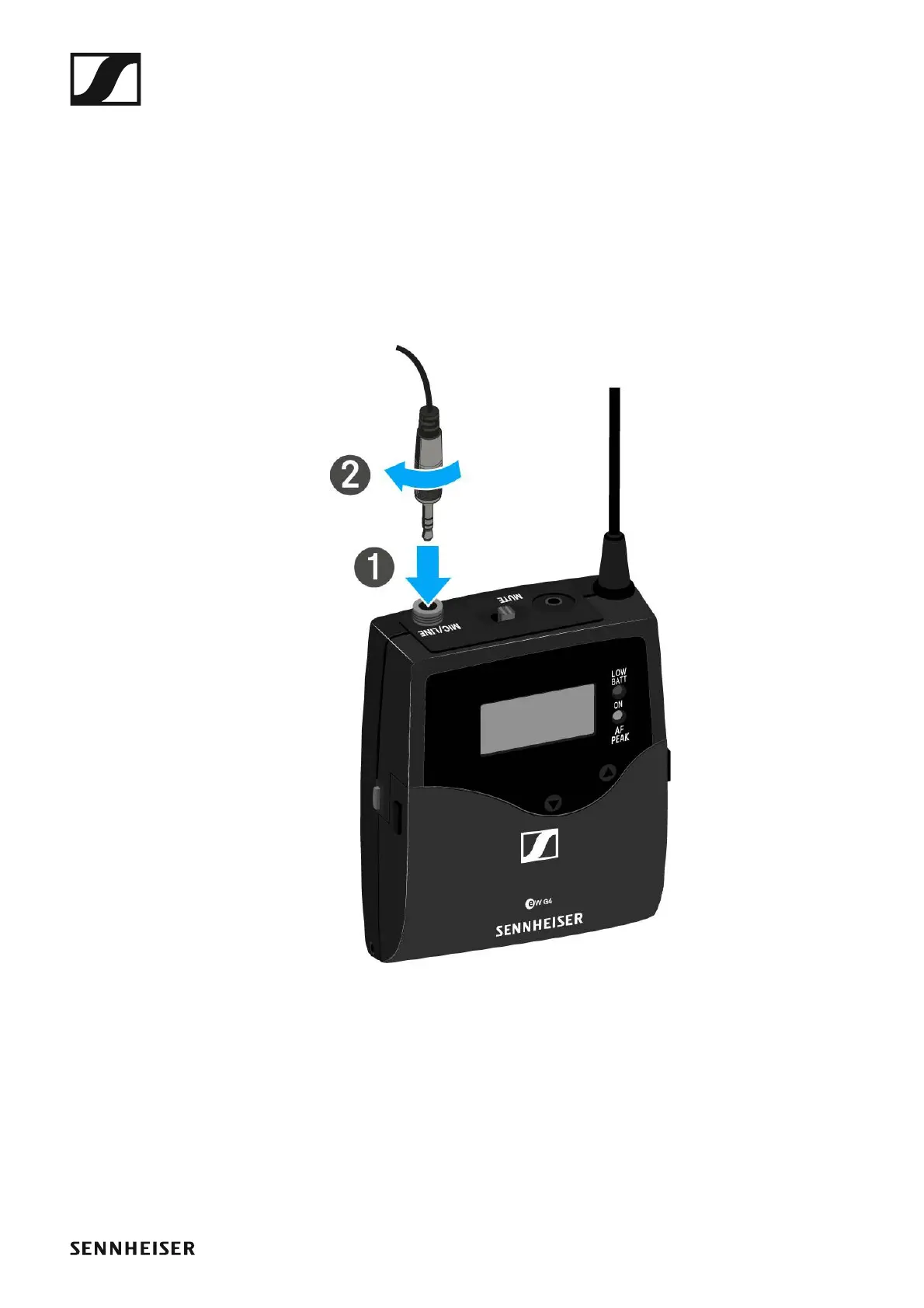
To connect a microphone to the bodypack transmitter:
▷ Insert the cable’s 3.5 mm jack plug into the MIC/LINE socket on the
bodypack transmitter as shown in the diagram.
▷ Screw the plug’s coupling ring onto the audio socket thread of the
bodypack transmitter.













 To Next Page