Using the TeamConnect system
TeamConnect | 15
Using the TeamConnect system for conferencing
applications with mobile phones or tablet PCs
An additional possibility to start a telephone or web conference is connecting
any mobile phone or tablet PC with a 4-pin 3.5 mm jack socket to the Headset
port of the TeamConnect Combox. For that purpose you need a Sennheiser
EasyDisconnect adapter from 4-pin 3.5 mm jack plug to RJ-9, which is available
as an accessory at www.sennheiser.com.
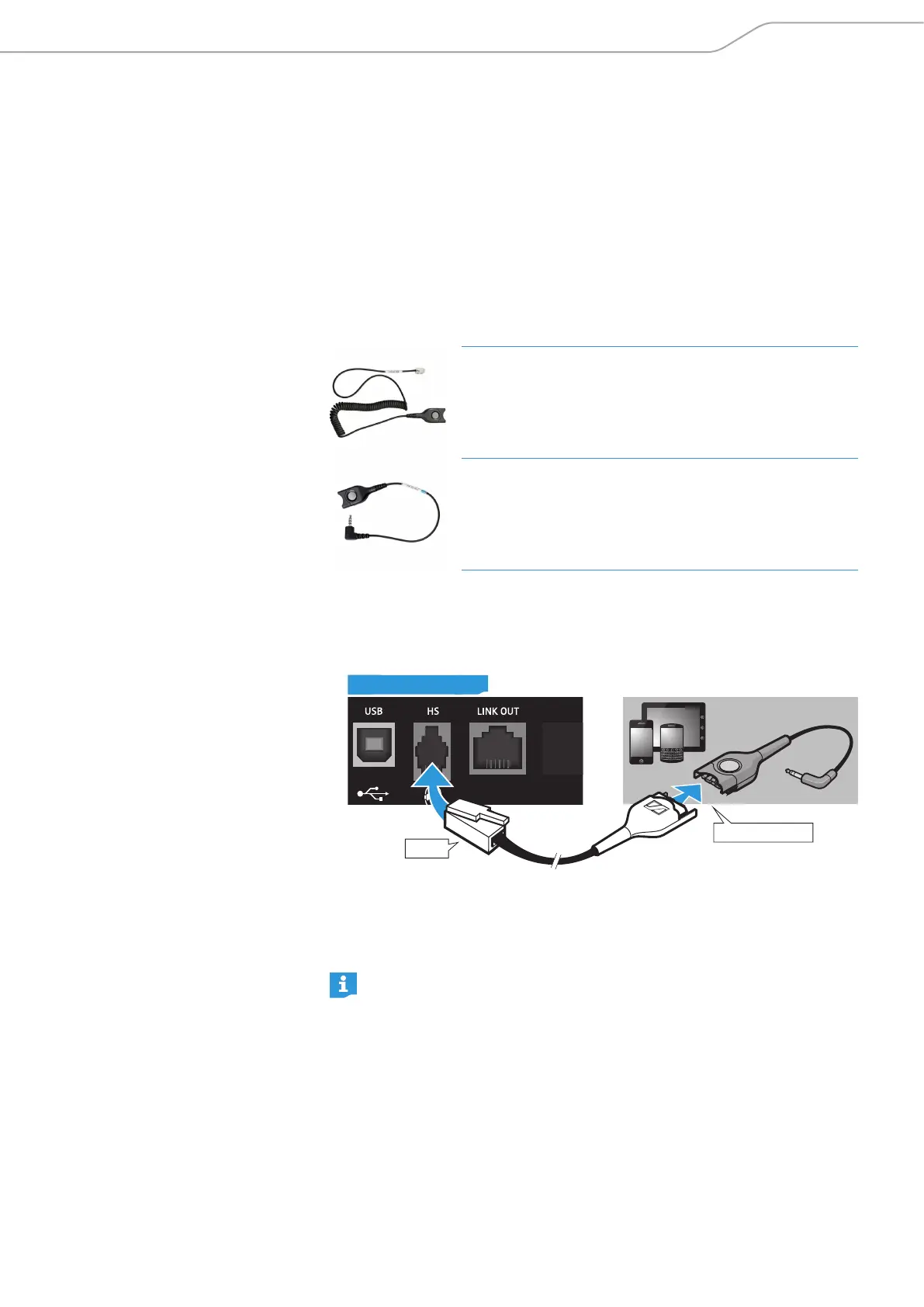
The required EasyDisconnect adapter consists of the following two parts:
CSTD 01
RJ-9 to EasyDisconnect adapter
Article number: 005362
GSM-ADP-CBB01
EasyDisconnect to 3.5 mm jack plug adapter
Article number: 502729
To connect your mobile phone or your tablet PC to the TeamConnect Combox:
X Connect the RJ-9 connector of the EasyDisconnect adapter to the HS socket of
the TeamConnect Combox.
RJ-9
CB1
EasyDisconnect
TeamConnect Combox
X Connect the 3.5 mm jack plug of the EasyDisconnect adapter to the 3.5 mm
jack socket of your mobile device.
The audio signals of the applications on your mobile device are processed and
reproduced via the TeamConnect system.
Some mobile devices might not be supported and might not work properly
with the TeamConnect system via the EasyDisconnect adapter. This cable
does not support Apple products.



 To Next Page