TeamConnect | 31
Installing and connecting the TeamConnect components
Connecting audio output signals
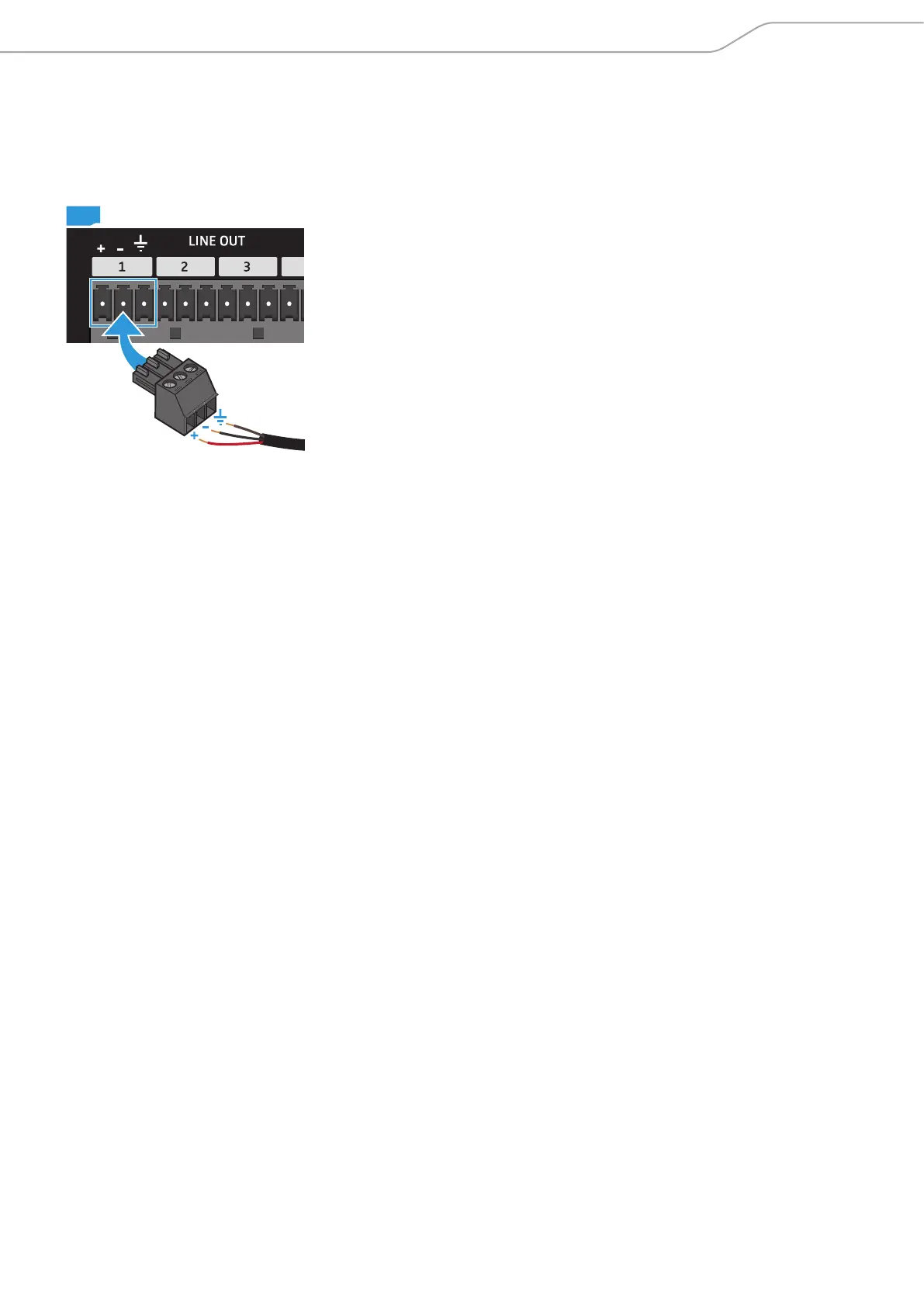
The black LINE OUT terminal of the SL TeamConnect CU1 has eight audio output
channels for connecting audio output signals (e.g. active loudspeakers or other
audio devices).
To connect an audio output signal to the SL TeamConnect CU1:
X Remove the insulation from the wires at the end of the audio cable.
X Attach the three wires to the terminal connector observing the correct pin
allocation (see figure on the left).
X Plug the terminal connector into one of the eight channels of the LINE OUT
terminal A of the SL TeamConnect CU1.
X Plug the connector at the other end of the audio cable into the respective
terminal or socket of the active loudspeaker or audio device.
CU1



 To Next Page