TeamConnect | 51
The Configuration Manager software
Using the Mixer Console
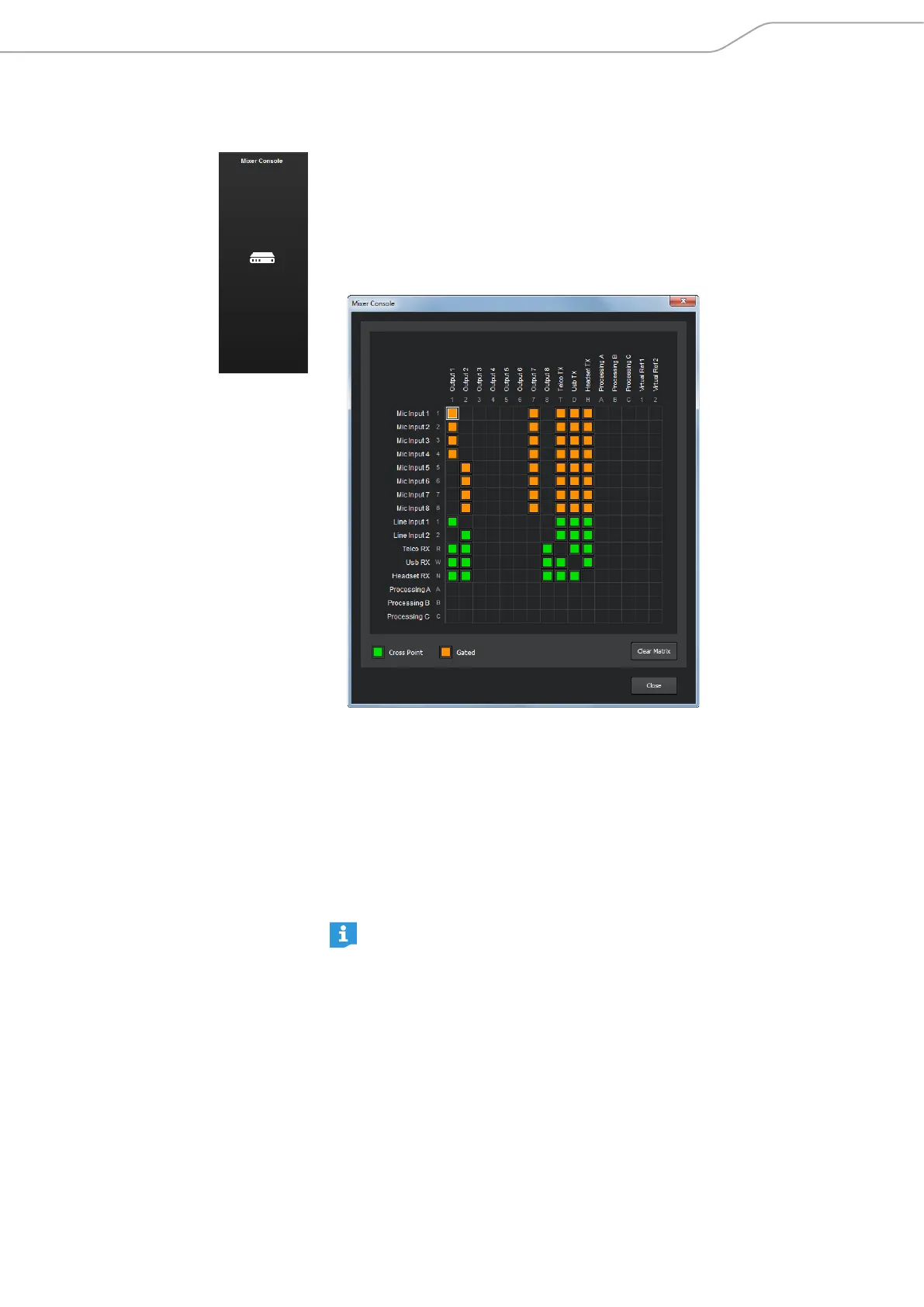
The Mixer Console is used to route the audio signals of the inputs to the desired
outputs using a matrix array. Any input or combination of inputs can be routed
to any output or combination of outputs.
To open the the Mixer Console:
X Click on the Mixer Console icon in the configuration screen.
The Mixer Console configuration window opens
The inputs are listed on the left and the outputs are listed along the top of the
matrix. The additional numbers and letters along the labels of the inputs and
outputs show the cross point coordinates.
To route an input to an output:
X Click on the intersection between the desired input and the desired output in
the routing matrix.
The selected input is routed to the selected output. The cross points of the
MIC inputs are displayed in orange. The cross points of the other inputs are
displayed in green.
There are six restricted routing paths which prevent Telco, Headset Rx,
USB Rx and the three Processing channels from being routed back to
themselves.
To adjust the level of an input-output cross point:
X Right-click on the orange or green cell of the input-output cross point.
X Select Cross Point from the shortcut menu.
X Move the slider to adjust the level to the desired value.



 To Next Page