26 | TeamConnect
Installing and connecting the TeamConnect components
Connecting the SL TeamConnect CB1 to the
SL TeamConnect CU1
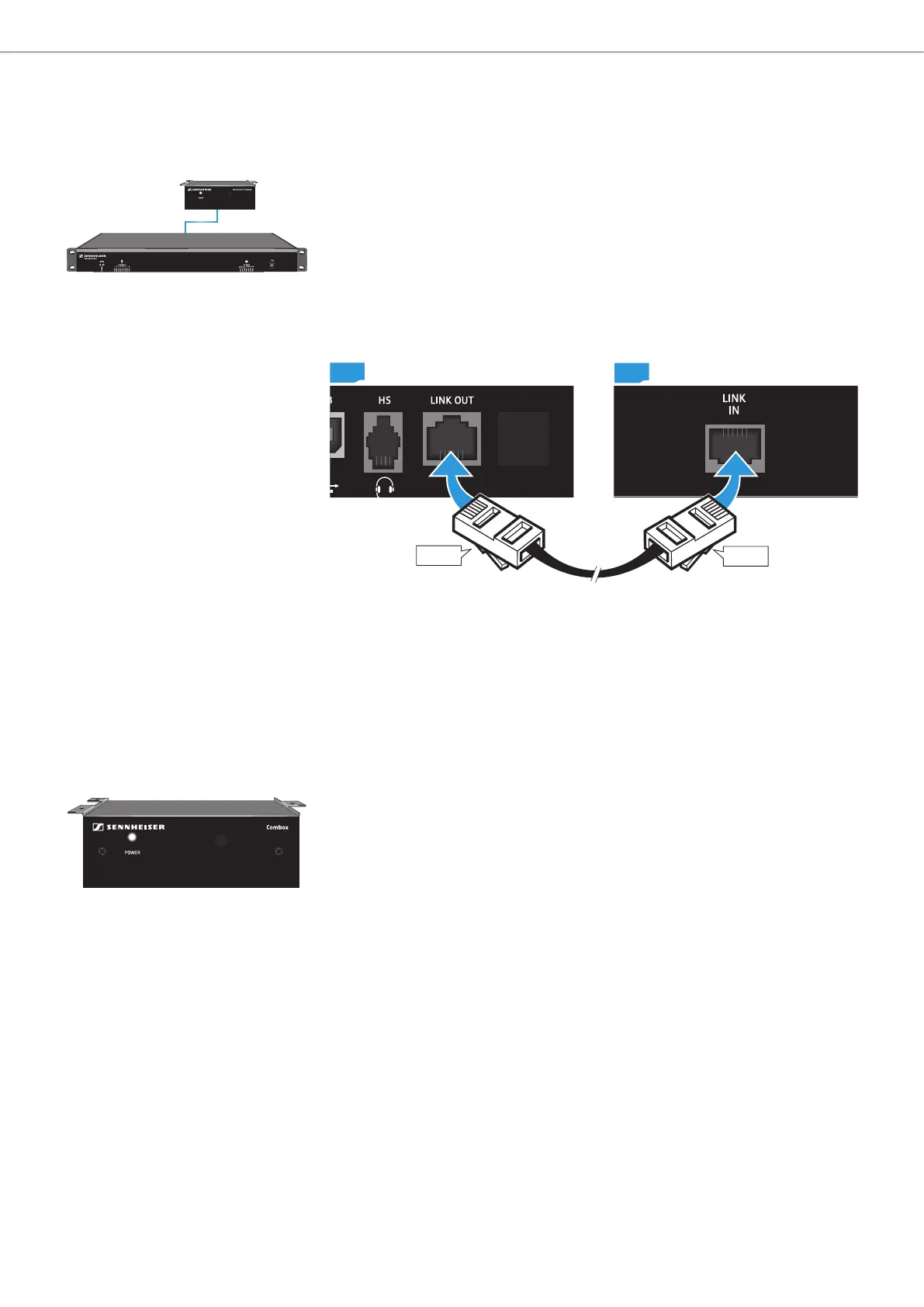
The SL TeamConnect CB1 is the audio interface of the TeamConnect system. It
must be installed in the meeting room. The user can connect a computer for using
the TeamConnect system for processing the audio signals of web conferences.
The SL TeamConnect CB1 can also be used to connect a telephone headset or
the headset connector of an enterprise telephone for teleconferences. The
SL TeamConnect CB1 is connected to the SL TeamConnect CU1 with a standard
Cat 5 RJ-45 cable.
To connect the SL TeamConnect CB1 to the SL TeamConnect CU1:
CU1
CB1
RJ-45
RJ-45
X Plug an RJ-45 cable into the LINK OUT socket G of the SL TeamConnect CB1.
X Plug the other end of the RJ-45 cable into the LINK IN socket 8 of the
SL TeamConnect CU1.
The SL TeamConnect CB1 is now connected to the SL TeamConnect CU1 and can
be used for connecting a computer or a headset.
Installing the SL TeamConnect CB1 in a meeting room
The SL TeamConnect CB1 must be installed in the meeting room in such a way
that the user has easy access to it in order to connect their computer.
We recommend mounting the SL TeamConnect CB1 underneath the meeting
room table with the three mounting brackets of the SL TeamConnect CB1.
TeamConnect



 To Next Page