TeamConnect | 43
The Configuration Manager software
Configuring audio output settings
The audio settings of the audio output channels of the black LINE OUT terminal of
the SL TeamConnect CU1 are configured in the Outputs area of the configuration
screen.
To configure the audio output settings:
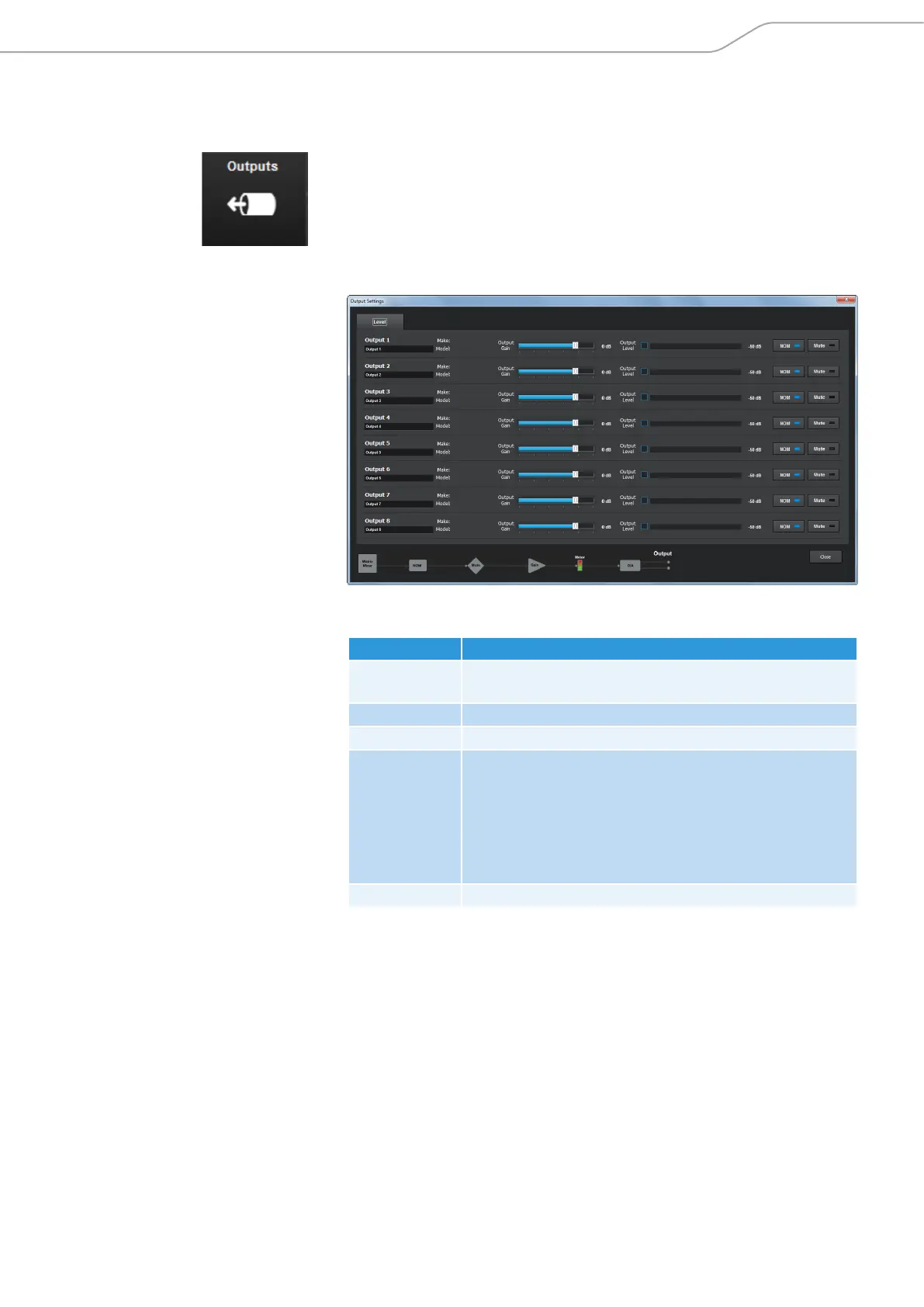
X Click on the Outputs icon in the configuration screen.
The Output Settings configuration window opens.
In the Output Settings configuration window you can adjust the following
settings:
Option Settings
Make / Model Indicates, if a device from the Device Toolbox is used (see
page 48).
Output Gain Adjusts the gain of the selected output channel.
Output Level Displays the output level of the selected output channel.
NOM Activates the NOM function (Number of Open Mics).
NOM maintains a constant output level by automatically
adjusting gain levels based on the number of microphones
gated on and routed to the selected output channel. NOM
reduces the output level proportionally by 3 dB for every
doubling in the number of open microphones.
Mute Mutes the selected output channel.



 To Next Page