TeamConnect | 25
Installing and connecting the TeamConnect components
Connecting the SL TeamConnect CU1 to the telephone
landline network
For teleconferencing the SL TeamConnect CU1 is needed to establish the
telephone connection. It must be connected to the analog telephone landline
network. The SL TeamConnect CU1 also offers the possibility of connecting an
analog telephone set.
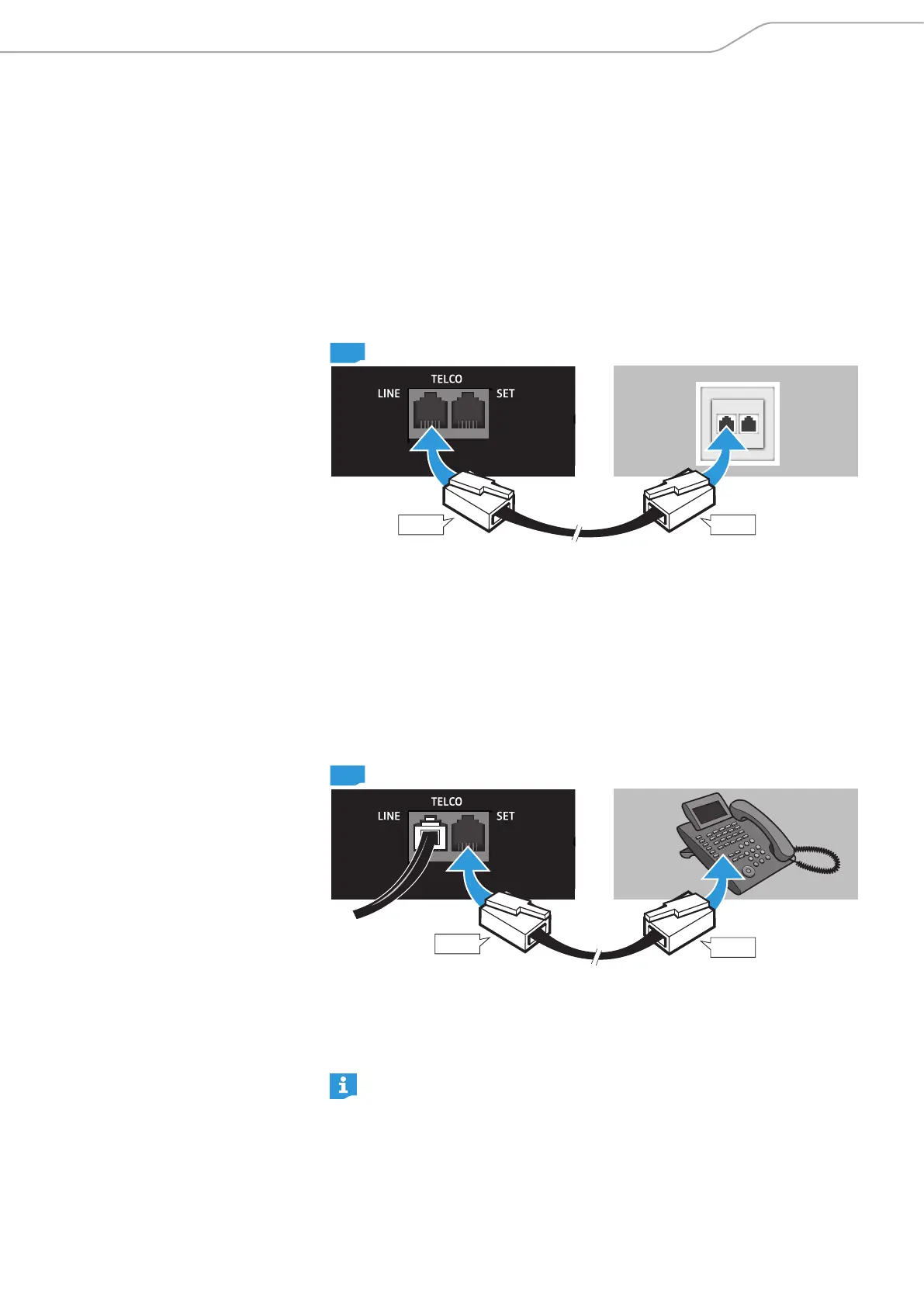
Connecting the SL TeamConnect CU1 to an analog phone line
To connect the SL TeamConnect CU1 to the analog landline telephone network:
RJ-11
CU1
RJ-11
X Plug an RJ-11 cable into the LINE socket of the TELCO telephone interface 5 of
the SL TeamConnect CU1.
X Plug the other end of the RJ-11 cable into a telephone wall socket.
The SL TeamConnect CU1 is now connected to the analog landline telephone
network. In teleconferences, the mobile dialer iOS App “TeamConnect” or the
browser-based dialer can be used for dialing.
Connecting a telephone set to the SL TeamConnect CU1
To connect a telephone set to the SL TeamConnect CU1:
RJ-11
CU1
RJ-11
X Plug an RJ-11 cable into the SET socket of the TELCO telephone interface 5 of
the SL TeamConnect CU1.
X Plug the other end of the RJ-11 cable into the respective socket of the
telephone set.
The connected telephone set cannot be used as a substitute for the mobile
dialer iOS App “TeamConnect” or the browser-based dialer. You cannot
establish a teleconference with the connected telephone set. You can only
use it for private calls.



 To Next Page