24 | TeamConnect
Installing and connecting the TeamConnect components
Setting up a separate wireless network
For exclusive access to the SL TeamConnect CU1 you can set up a separate wireless
network.
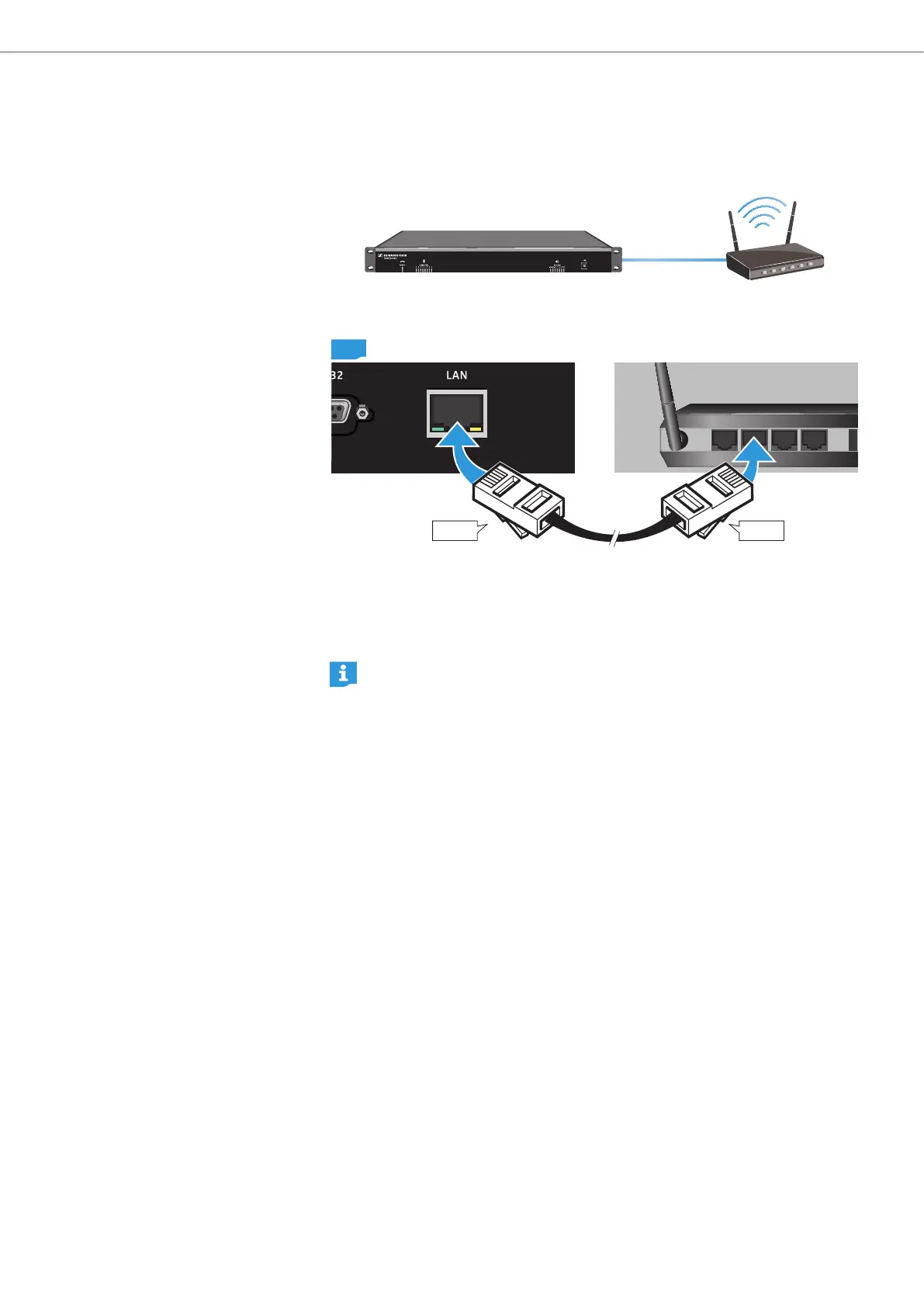
To connect the SL TeamConnect CU1 to a WLAN router:
LAN4 LAN3 LAN2 LAN1
RJ-45
CU1
RJ-45
X Plug an RJ-45 cable into the LAN socket 7 of the SL TeamConnect CU1.
X Plug the other end of the RJ-45 cable into a network socket of the WLAN router.
You can now access the SL TeamConnect CU1 wirelessly from an iPad/iPhone
or a computer.
For information on configuring the WLAN router refer to the instruction
manual of the WLAN router.



 To Next Page