TeamConnect | 49
The Configuration Manager software
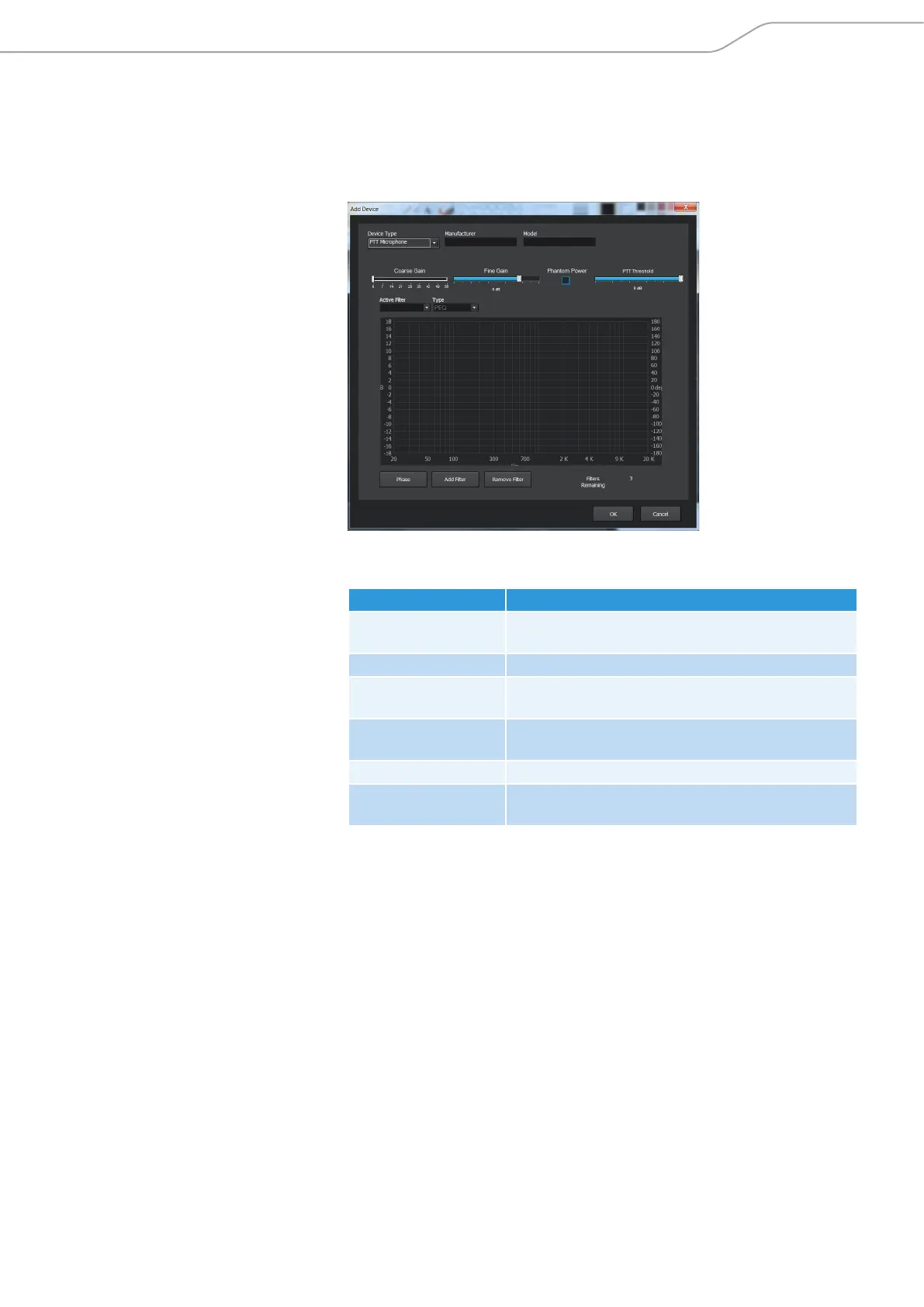
To add a new device to the Device Toolbox:
X Open the Device Toolbox Editor.
X Click Add.
The Add Device dialog box opens.
X Select a device type in the Device Type dropdown menu.
The following device types are available:
Device Type Description
Video Codec Use for audio setting presets for e.g. video
conferencing systems, etc.
Sound Card Use for audio setting presets for e. g. PC sound cards.
Record/Playback Use for audio setting presets for audio devices like
CD/DVD/mp3 players, etc.
Amplifier Use for audio setting presets for amplifiers or self-
powered loudspeakers, etc.
Microphone Use for audio setting presets for microphones.
PTT Microphone Use for audio setting presets for push-to-talk
microphones.
X Enter the name of the manufacturer in the Manufacturer text field.
X Enter the name of the model in the Model text field.
The manufacturer name and model will be displayed as Make and Model in
the input and ouput channel configuration windows.
X Configure the desired audio settings.
X Click OK to save the audio settings as a device in the Device Toolbox.



 To Next Page